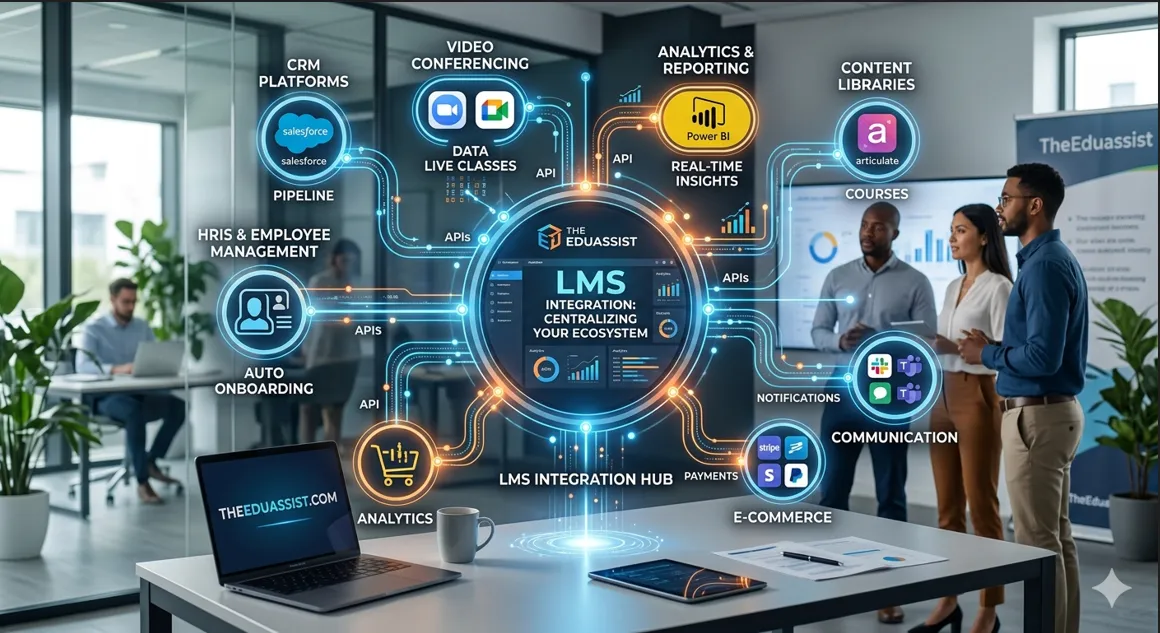
You set up your LMS. Great work. However, that is just the start. Your LMS must link to other tools your team uses each day. That link is called LMS integration. Essentially, it turns your LMS into a smart, linked hub for all your training needs.
Furthermore, linked systems save time. They add users on their own. In fact, syncing data and sending alerts all happen without manual work. As a result, your team does less admin. Instead, more time goes to real training.
Consequently, learning management system integration is a must for any firm that wants fast, smooth training. This guide shows the top LMS integrations your platform needs. Additionally, it shows how each one helps your team.
To fully understand how LMS systems are set up and scaled, it is also important to consider the migration phase. For a smooth transition process, you can follow a detailed LMS migration checklist.
What Is LMS Integration?
LMS integration means linking your LMS to other tools. Basically, data moves between them on its own. You do not enter it by hand.
To be clear, links use APIs, webhooks, and connectors. These sync data in real time. For instance, when a new hire joins in your HR tool, your LMS adds them at once. Likewise, courses are set up right away.
Also, integrations make your systems work as one. Here are some key pairs:
- HRIS Systems: Automatically add new users and set up role-based courses.
- CRM Platforms: Seamlessly tie sales data to specific learning paths.
- Zoom Integration: Sync live class data and attendance back to the LMS.
- Power BI Tools: Send raw learning data directly to visual dashboards
During system setup or switching platforms, organizations often face data transfer challenges. This is why LMS moving data safely during migration becomes a critical part of the overall learning system lifecycle.
LMS Integration vs LMS Migration: What Is the Difference?
Many teams mix up these two terms. But, they mean very different things. On one hand, LMS migration moves your data from one platform to a new one. By contrast, LMS integration links your current LMS to other tools you use.
The table below shows the key gaps at a glance:
| Feature | LMS Migration | LMS Integration |
| Action | Moves data from one platform to another | Links your current LMS to other tools |
| Timeline | One-time project | Ongoing process |
| Focus | Platform transition | Workflow automation |
| Stage | During deployment | After implementation |
To put it simply, migration is a one-time move. Meanwhile, integration is an ongoing process. Both serve key roles at different stages.
If you are planning a system switch, understanding the LMS migration timeline is essential to ensure a smooth and well-structured transition process.It is also important to evaluate budget requirements early, which is why reviewing the LMS migration cost guide for enterprises can help organizations plan effectively and avoid unexpected expenses.
Why LMS Integrations Matter for Firms
Most firms run many tools at once. Otherwise, without links, your LMS works alone. So, it misses key data from HR, sales, and ops teams.
Because of this, linked LMS platforms give you real gains. They cut manual work. For example, user setup runs on its own. Similarly, reports pull from all tools in one place.
Plus, learners get a better time. Specifically, they get the right course at the right time. Therefore, buy-in stays high and training gets done fast.
In addition, your firm grows with ease. You can scale training as your team grows. Thus, measuring the ROI of learning gets simple too. Research shows linked systems boost skill growth and cut compliance risk.
The Most Important Systems to Connect to Your LMS
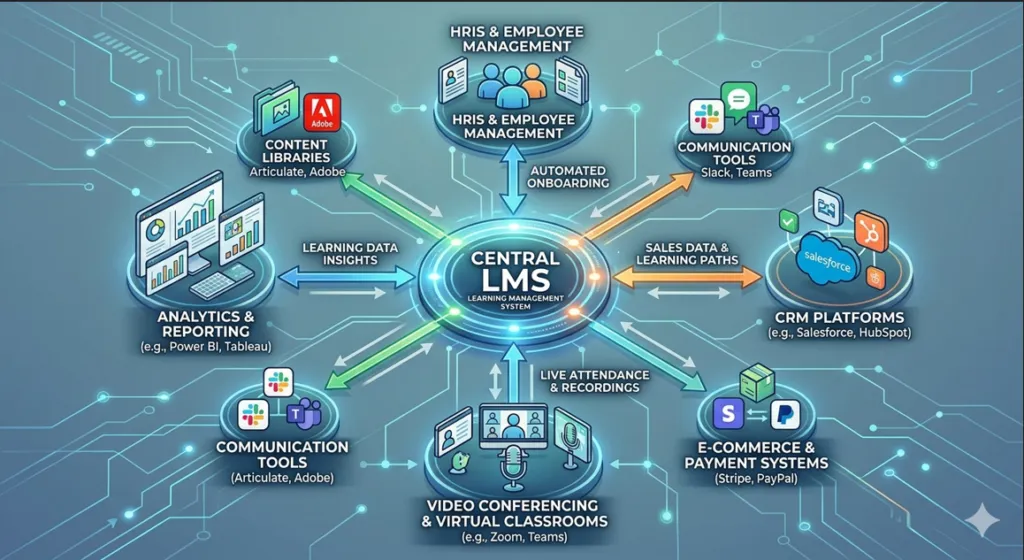
Not all links have the same value. So, focus on the ones with the most impact. Below are the key systems your LMS should connect with.
1. HRIS and Employee Management Systems
Your HRIS is the best place to start. Notably, linking your LMS to tools like BambooHR, Workday, or ADP is the top LMS integration you can set up. When a new hire shows up, onboarding courses get assigned and progress gets tracked automatically.
Plus, role-based learning gets simple. When a staff member changes teams, the LMS updates their courses on its own. As such, compliance training and cert renewals stay in sync.
2. CRM Platforms
Sales teams do better when training fits their daily work. LMS CRM integration with tools like Salesforce and HubSpot links client data to learning paths. For instance, when a rep moves to a new product area, the LMS assigns the right courses for them.
Also, partner training and client programs gain a lot from this link. Then, cert data feeds back into the CRM. Now, leads can see team skill levels next to sales data.
3. Video Conferencing and Virtual Classroom Tools
Remote teams need live online training. Therefore, linking your LMS with Zoom, Microsoft Teams, or Google Meet lets you plan webinars and track who shows up. Furthermore, session recordings also save in one place.
Plus, attendance data goes straight into learner records. So, leads get clean reports without checking two systems. Overall, hybrid teams gain the most from this smooth link.
4. Analytics and Reporting Platforms
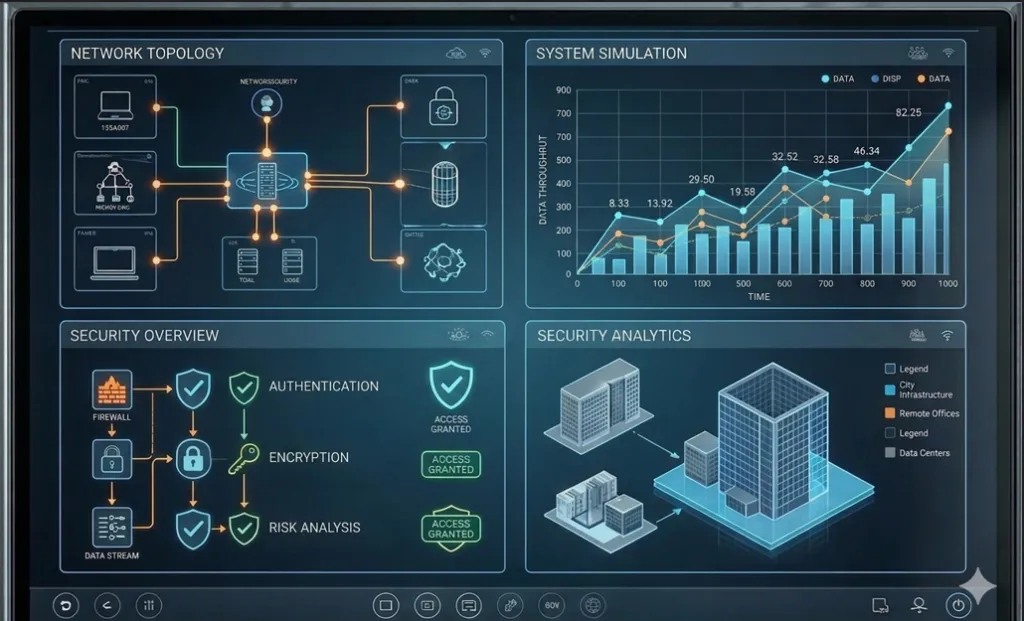
Data alone is not enough. Instead, you need to turn it into insight. The integration of LMS and analytics platforms like Power BI, Tableau, and Google Analytics gives you rich training reports. Consequently, tracking ROI and spotting skill gaps gets easy.
Here, L&D leads can see completion rates by team. As a result, gaps show up before they hurt results. In fact, learning analytics helps teams make better training choices.
5. Content Libraries and Authoring Tools
Strong LMS content integration keeps your training fresh. By linking tools like Articulate 360 and Adobe Captivate, your team pushes new content right into the LMS. Thus, no manual uploads are needed.
Also, SCORM and xAPI track learner scores on their own. Consequently, content stays clean and easy to reuse.
6. Communication and Collaboration Tools
Learners drop off when training feels far from their work. So, linking your LMS with Slack or Microsoft Teams keeps learning close.
For example, learners get reminders in Slack. Likewise, leads get alerts when their team finishes key modules. Ultimately, no one needs to log into the LMS just to check progress.
7. E-Commerce and Payment Systems
If you sell courses, you need smooth LMS ecommerce integration. Specifically, tools like Stripe, PayPal, and Shopify handle payments and billing for you.
Furthermore, learners get access right after they pay. As a result, your team handles more sales with less admin work.
LMS API Integration: How It Works
Every smooth LMS integration runs on an API. In short, real-time data sync, auto workflows, and secure tool links all depend on it.
Three main options exist:
- Native Integrations: Pre-built links offered for tools like Salesforce or Zoom.
- Middleware Tools: Platforms like Zapier connect systems with no code.
- Custom API Integrations: Alternatively, your dev team builds exact links for complex needs.
Note that APIs also support webhooks. For instance, when a new hire shows up in your HRIS, a webhook fires. Consequently, a user account appears in your LMS right away.
In large organizations, system upgrades or migrations often need to happen without stopping training operations. In such cases, zero-downtime LMS migration ensures that learning activities continue smoothly while backend data is being transferred through APIs and background sync processes.
LMS Integration Checklist
Before you link any system, use this checklist. First, it helps you avoid costly errors.
- Set your goals.
- List your tools.
- Check API support.
- Map your data flows.
- Review security rules.
- Test before you launch.
- Next, train your admins.
- Watch performance.
- Finally, plan to scale.
Common LMS Integration Challenges
Even good plans hit bumps. However, knowing these issues in advance helps you fix them fast.
Technical Issues
- Old systems may have no API.
- Data fields may not match.
- Fix: Use Zapier to bridge old systems.
Operational Issues
- Teams may resist new ways of working.
- Fix: Invest in change management.
Security Issues
- Bad API setup can expose data.
- Fix: Use OAuth 2.0 for all API links.
References
- LMS integration enterprise systems research (Google Scholar)
- Enterprise LMS integration challenges SpringerLink
- SCORM xAPI interoperability research papers
- LMS API integration research study
Final Thoughts
Your LMS works best when it connects to the tools your firm already uses. In summary, LMS integration solutions turn a single training tool into a smart, linked learning system. Eventually, admin work drops and skills grow fast.
In the end, learning management system integration is not optional for growing teams. Rather, it is a core need. Each LMS integration you add builds more value into your training setup.
Frequently Asked Questions
What is LMS integration?
Simply put, it is the act of linking your LMS to other software like HRIS or CRM tools.
Why are LMS integrations important?
Primarily, they cut manual work, automate setup, and centralize reports.
Which systems should connect to an LMS?
Key systems include HRIS tools, CRM platforms, video tools, and analytics.
What is the difference between migration and integration?
Migration moves data. Conversely, integration links systems for an ongoing process.
How does LMS API integration work?
In brief, it uses data exchange rules to link software via native links or middleware.
Authored by: Laiba Ayaz