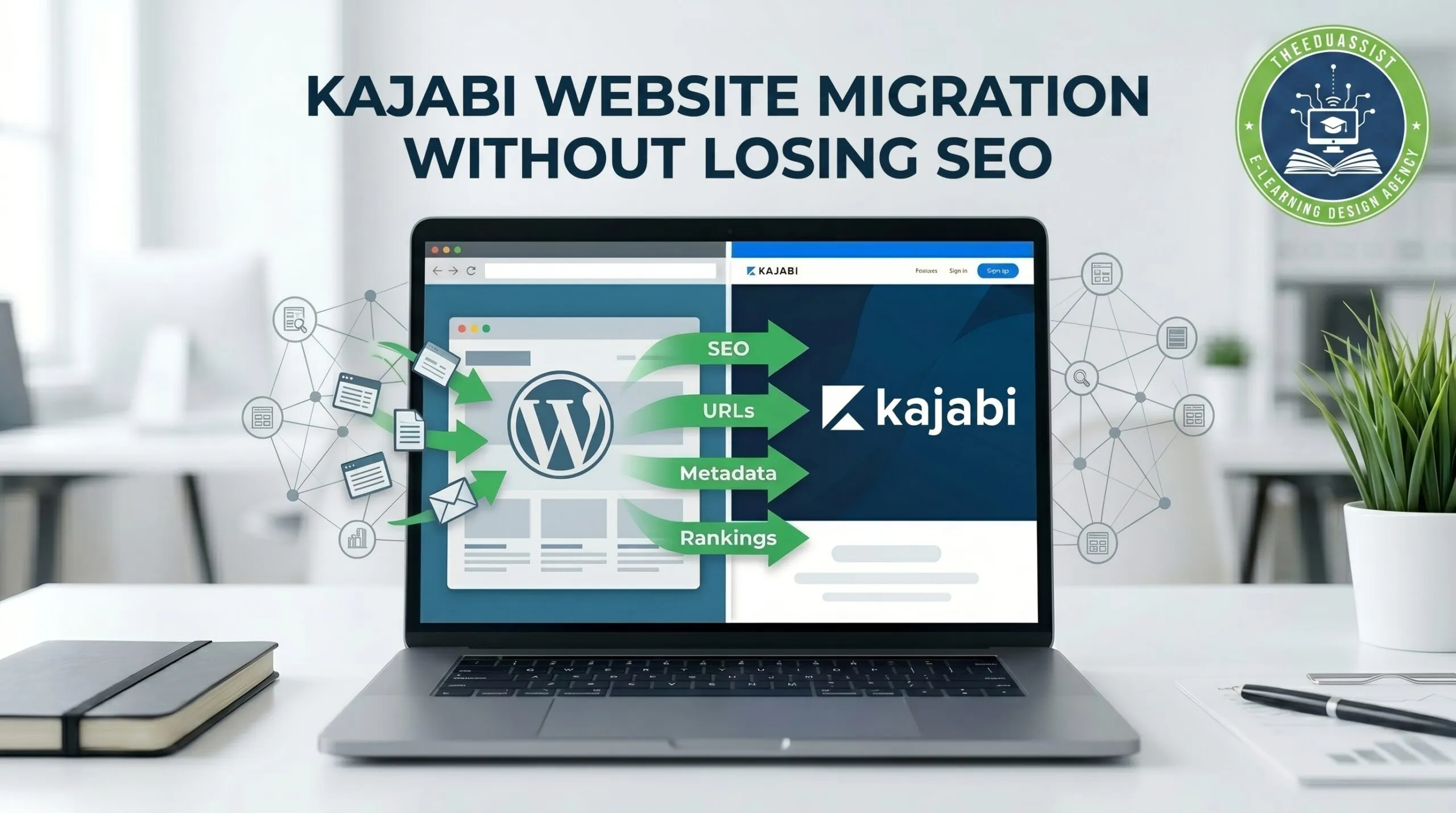
Moving your website to Kajabi sounds exciting until SEO becomes a concern. Many course creators and training businesses worry about losing rankings, broken pages, traffic drops, or learners landing on error pages after migration.That concern is valid.
A website migration affects your pages, URLs, search visibility, and user experience. If migration is rushed, it can impact both traffic and enrollments. When you do things the right way, the Kajabi website migration can be easy and your SEO performance will stay the same.
For people who make designs, create courses, teach and work with learning and development teams it is really simple: you want to move your learning platform without losing people’s attention or making it hard for learners to find their way.
At TheEduAssist we see that creators usually focus on making their website look good and moving their content first. They often forget about SEO.
A better approach is to plan both together from day one.
Why SEO Matters During Kajabi Website Migration
When you switch from WordPress, Teachable, Thinkific or some other learning management system platform to Kajabi The search engines will see your Kajabi pages differently
That can affect:
- existing keyword rankings
- The traffic that comes from search engines
- How pages are indexed
- backlinks
- How learners navigate
- How visible the blog is
- The enrollment pages
A small URL change can lead to broken search results if redirects are missed.
A strong migration plan protects both SEO and learner experience.
Common SEO Risks During Kajabi Migration
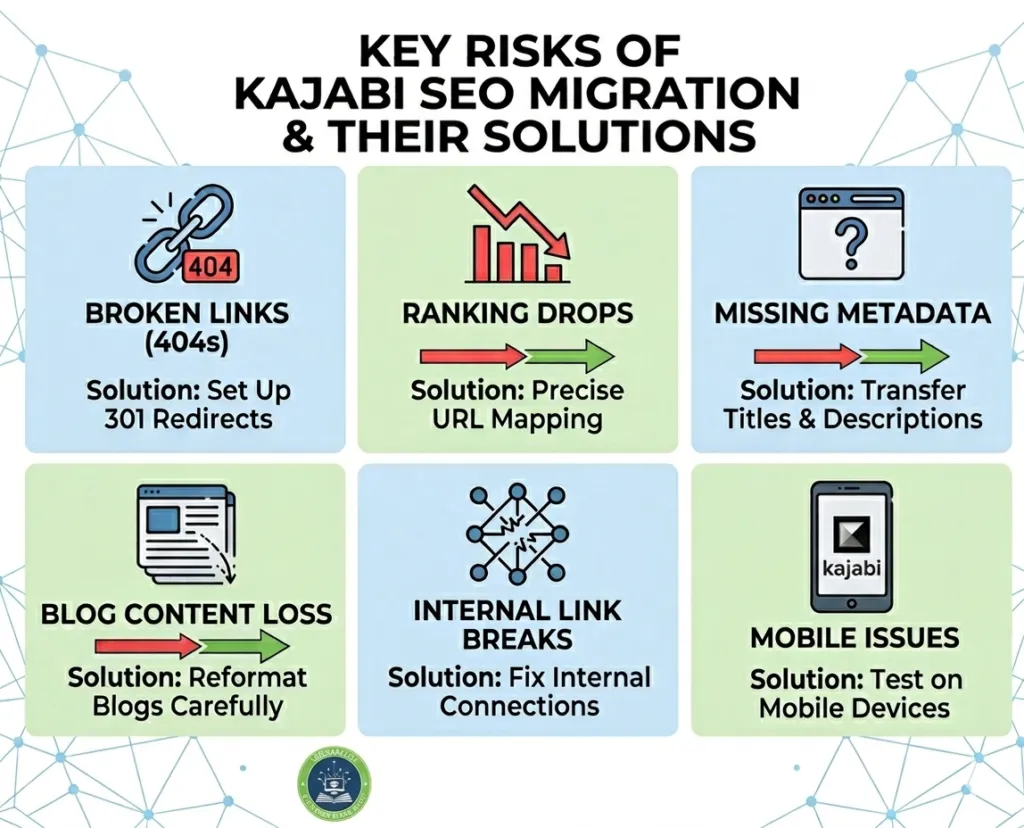
Here are common issues that teams face when they are working on websites.
- These issues include old URLs that return 404 pages.
- Sometimes teams also have to deal with missing redirects.
- Blog pages can just disappear.
- Teams also have to fix loading pages and deal with duplicate content.
- When teams migrate their website they often find that metadata has been removed during the migration.
- Image alt text is often missing.
- Internal links can break.Teams have to fix these internal links on the website.
You have to think about what can go during the platform migration and fix these problems before they happen.
Kajabi Website Migration vs Staying on WordPress
| Feature | Kajabi | WordPress |
| Website + course platform | Built-in | Needs plugins |
| SEO control | Good built-in tools | More advanced flexibility |
| Hosting | Included | Separate |
| Maintenance | Easier | More manual |
| Course delivery | Integrated | Requires setup |
| Technical management | Simpler | More hands-on |
For many education businesses, Kajabi reduces complexity. The important part is migrating carefully so SEO remains stable.
Step-by-Step Kajabi Website Migration Without Losing SEO
1. Audit Existing Website Pages
Before you move your website you should take a look at the following things.
- The top ranking blog posts are really important.
- You should also check the landing pages and the course pages.
- Then there are the traffic-driving keywords that bring people to your website.
- Backlinks from websites are also crucial.
- Do not forget to review the metadata, for each page.
This will help you understand what you have on your website
2. Map Old URLs to New Kajabi URLs
This step is really important.
Create a spreadsheet, like this:
Old URL → New Kajabi URL
For example:
/online-course-design-guide → /course-design-guide
This helps prevent broken pages and keeps your rankings safe.
3. Set Up Redirects
When you set up redirects it helps guide people and Google to the new page.
Without redirects a few things can go wrong.
- Users will get errors when they try to visit the page.
- The rankings of your website may drop in search results.
- The traffic to your website can just disappear.
The redirects that Kajabi offers really help to keep everything running smoothly for people who visit your website.
4. Move SEO Elements Carefully
When you are moving things over you need to make sure you keep things the same.
- Page titles should be clear. They should be close to the original version. This helps search engines understand the page.
- You should always check the meta description before you publish something. Make sure your meta descriptions are accurate and tell people what your page is about.
- Your H1, H2 and H3 headings need to be in order. This way people can easily understand what your content is about.
- You should also pay attention to the image alt text. Always check the descriptions of your images to make sure they are good for accessibility and your SEO.
- You need to make sure that the links within your blog still work correctly after you move everything around.
- you should take a look at the blog formatting. Review the headings, check the spacing, also look at the images and tables to make sure they are okay.
Do not publish anything until you have looked over everything.
5. Check Mobile Experience
A lot of people who are learning things use their phones to get to the courses.
Test:
- Navigation is important.
- The first page you see, also called the landing page, should be easy to use.
- When you have to fill out forms it should not be too hard.
- The page where you pay for something, which is called the checkout page should be simple.
- It is also important that the blog is easy to read.
A migration should feel simple for learners on every device.
6. Recheck Analytics and Search Console
After launch you need to monitor a few things:
- You have to check the indexing to see how it is doing.
- There are also traffic trends that you need to be looked at.
- You have to see how many clicks you are getting.
- you also need to find out if there are any broken links that you have to fix.
- Then there are the keyword positions, which tell us how we are doing with our keywords.
The thing is it takes some time to get a picture of SEO results but, over time you will be able to see what is working and what is not.
Helpful Kajabi Migration Checklist
Before publishing go through following checklist:
- Important pages have been audited
- URL mapping is complete
- Redirects have been added
- Metadata has been checked
- Images have been optimized
- Internal links have been updated
- Mobile testing is done
- Analytics have been connected
A checklist makes migration easier and reduces missed steps.
Keeping the Learner Experience Clear
SEO matters, but learner experience matters too.
A visitor coming from Google should still reach the right page quickly.
That includes:
- a clear navigation
- easy access, to courses
- forms that work well
- simple website layout
- fast website loading speed
TheEduAssist follows learner-focused content and course structure planning because migration should feel clear for both search engines and learners.
Final Thoughts
Kajabi website migration does not have to hurt SEO.
Moving to a system is a big deal. A careful migration protects the rankings of your website keeps learners on the path and makes the transition to Kajabi much smoother.
When you map the URLs correctly, put redirects in place and review the content before you publish it, the process becomes easier and more reliable for Kajabi migration.
For course creators and training teams, the goal is not only moving platforms.It is keeping traffic stable while giving learners a better experience.
FAQs
Can moving to Kajabi affect SEO?
Yes. It can affect rankings if redirects and page structure are missed. Proper planning reduces the risk of ranking issues.
Does Kajabi support SEO?
Yes. Kajabi is really helpful because it supports page titles, meta descriptions, redirects, and structured website pages.
What should I check before migration?
Before migration you should review traffic pages, URLs, internal links, metadata, and mobile experience.
Will blog posts move to Kajabi?
The formatting and SEO details are really important so we should review the formatting and SEO details carefully before we publish.
How long does it take for Search Engine Optimization to settle down after you move your website to a place?
The time it takes for Search Engine Optimization to stabilize after you migrate your website can be different for each person. It really depends on how big your website’s how many changes you made when you moved it.
For some people Search Engine Optimization can take a week to get back to normal after migration. For others it can take months for Search Engine Optimization to stabilize. You have to be patient and keep an eye on how SEO’s doing after you migrate your website.