A Kajabi membership site is one of the easiest ways to turn knowledge into steady income. Instead of selling a course once, you build a community that pays you every month. In this guide, we will cover how to plan, build, launch, and grow a Kajabi membership site in 2026. We will also look at pricing and common mistakes. So, let us get started.
What Is a Kajabi Membership Site?
A Kajabi membership site is a private online space. Members pay a fee to access courses, community, and fresh content. Unlike a one time course, a membership keeps paying you every month. Kajabi makes this easy. It combines hosting, payments, email, and community tools in one place. So instead of juggling five apps, you run your whole business from a single login.
Many creators in the USA now prefer Kajabi for this reason. They want fewer tools, not more. A Kajabi membership site lets coaches and educators build a loyal audience. At the same time, it keeps monthly costs easy to predict.
Why Build a Membership Business in 2026?
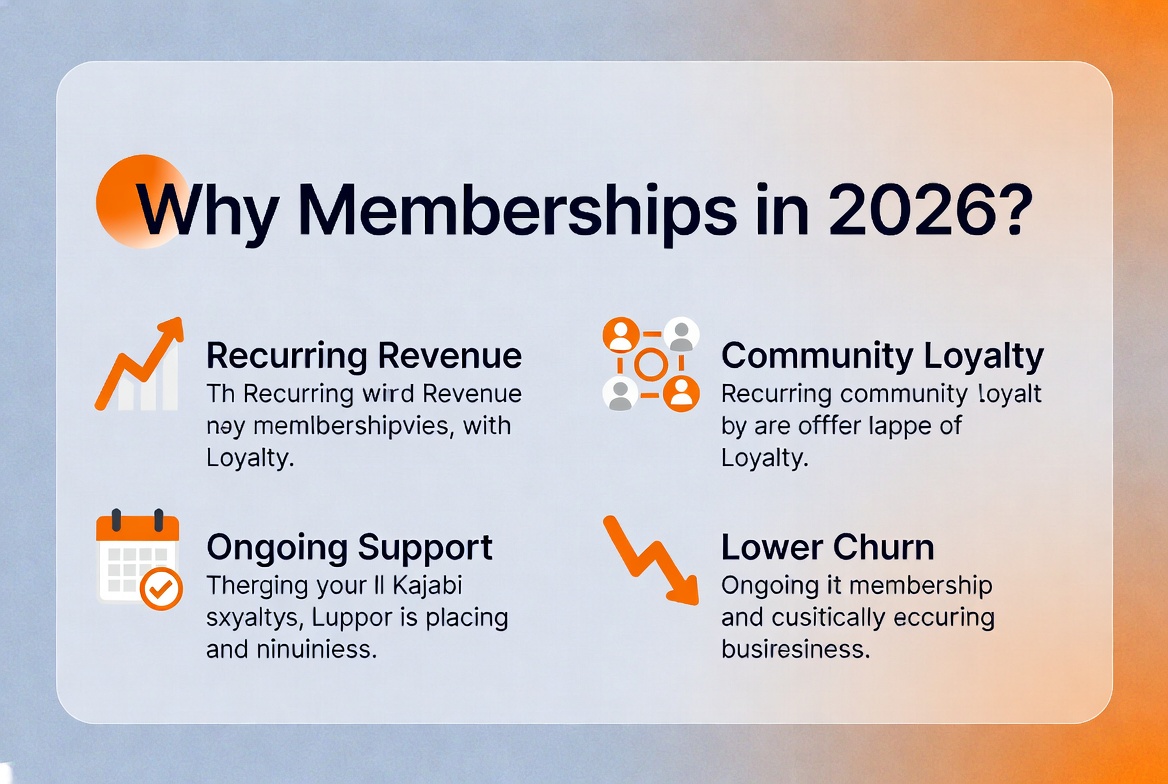
First, recurring revenue is more stable than one time sales. Once a member joins, you do not need to chase a new sale each time. Second, communities build loyalty. Members who feel connected tend to stay longer. They also refer friends more often. Third, the membership model rewards consistency. You do not need a big new launch every month. As a result, you spend more time on value and less time on promotion.
On top of that, learners today want ongoing support. They do not just want one video course they forget. A membership gives them a reason to log in each week. This keeps engagement high and refunds low.
Step by Step: How to Build a Kajabi Membership Site
1. Define Your Niche and Outcome
Before opening Kajabi, decide who you serve. Also decide what result you promise them. A focused niche always converts better than a broad one. For example, “fitness coaching for new moms” beats “general fitness tips.” Once your niche is clear, the rest of the build gets much easier.
2. Choose Your Membership Model
There are three common models. A content led membership adds new lessons each month. A community led membership focuses on live calls and group support. A hybrid model mixes both. This often works best for long term retention. Pick one model first. Then expand later once you know what your members truly want.
3. Set Up Your Kajabi Product
Inside Kajabi, go to Products, then choose Membership. Add your modules, lessons, and any downloads. Keep your first module simple. This way, new members get a quick win in their first week. This single step does more for retention than almost anything else.
4. Create a Recurring Offer
Next, set your pricing under Sales, then Offers. Choose a subscription type. Then decide if you want monthly or annual billing. Many creators offer both. Annual plans reduce churn, while monthly plans lower the barrier to join.
5. Build Your Sales Page and Funnel
Your sales page should explain the outcome, not just the features. Add testimonials, a simple pricing table, and one strong call to action. Once your page is live, connect it to a funnel. This way, new leads move smoothly from visitor to paying member.
If you are also exploring other funnel tools, our detailed comparison on Kajabi vs ClickFunnels breaks down which platform fits a membership business best.
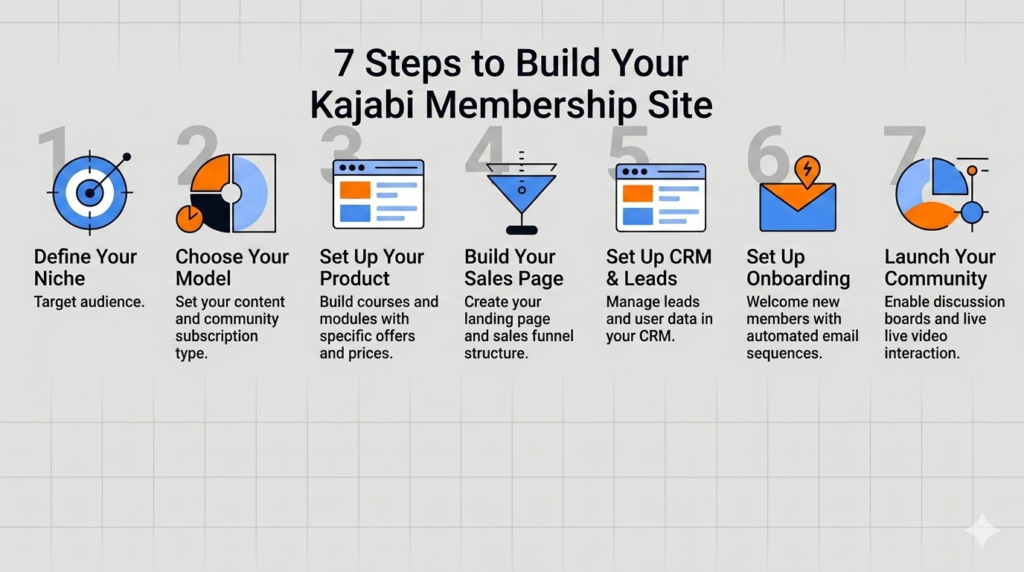
6. Set Up Onboarding Emails
The moment someone joins is the moment they feel most excited. So, do not waste it with one generic welcome message. Instead, build a short sequence. Welcome new members, show them around, and invite them to your community. For a full breakdown of this process, see our guide on Kajabi email strategy using broadcasts and sequences.
7. Turn On Community Features
Kajabi Community lets you add discussion boards, live rooms, and challenges right inside your membership. This keeps members engaged without sending them to outside apps. A strong community is often the biggest reason members renew month after month.
Launching Your Kajabi Membership Site
Once your product, offer, and emails are ready, it is time to launch. A soft launch to a small group works well. It lets you fix small issues before a full release. After that, you can open enrollment to your full list.
During launch week, your contact data becomes very valuable. This is why a clean CRM setup matters so much. Our article on Kajabi CRM for managing leads and students shows how to organize new sign ups. That way, nothing slips through the cracks.
Automation also saves a lot of time during launch. Triggers can tag new members, send welcome sequences, and even grant access on their own. For a deeper look at these systems, read our guide on Kajabi automation workflows.
Email marketing remains one of the strongest launch tools. If you want a proven structure for your campaigns, our article on how to run Kajabi email campaigns successfully walks through real examples step by step.
How Much Does It Cost to Build a Kajabi Membership Site?
Kajabi offers a few pricing tiers. Most membership creators start on the Growth plan, since it supports more contacts, more automations, and full Community access. Beyond the platform fee, your main costs are a custom domain and maybe some logo work. Compared to using five separate tools, this is usually much cheaper over time.
Many creators in the USA find that Kajabi pays for itself within the first few sign ups. There is no need for a separate email tool, hosting service, or community app.
Scaling Your Membership Business
After launch, growth comes from three things. These are traffic, retention, and content. Traffic brings new members in. Retention keeps them paying each month. Content gives them a reason to stay.
For traffic, organic search is one of the most reliable channels over time. Our guide on increasing online course traffic with Kajabi SEO services covers keyword research and content tips in detail.
For retention, check your engagement data each month. Members who stop logging in often churn within weeks. A short reengagement email, sent on its own, can win many of them back before they cancel.
Finally, keep adding fresh content. A growing library, paired with live sessions, keeps your membership feeling alive instead of stale.
Common Mistakes to Avoid
- Overpromising weekly live calls when you can only manage monthly ones.
- Skipping onboarding and assuming members will explore on their own.
- Ignoring SEO settings on public pages, which limits discovery.
- Never asking members what they actually want next.
- Launching without a clear, single outcome in mind.
Kajabi Membership Site vs Other Platforms
Kajabi competes with platforms like Teachable, Thinkific, and Podia. However, Kajabi tends to win for membership businesses. Community, email, and payments are already built in. Other platforms often need extra plugins or third party tools to reach the same level.
If you are weighing your options, our comparison on Kajabi vs Teachable for managing subscriptions explains the key differences in plain terms.
FAQs
What is the best platform to build a membership site for digital courses?
Kajabi is widely seen as one of the best choices for this job. It combines course hosting, payments, email, and community tools in one place. So creators in the USA and beyond do not need separate software for each task.
Kajabi vs Teachable: Which is better for managing membership subscriptions?
Kajabi usually offers stronger membership and community tools, since they are built right in. Teachable can handle basic memberships too. However, many users still rely on outside apps for community and email. That adds extra cost and extra work.
How much does it cost to start a membership site?
Cost mainly depends on your chosen plan. Most membership creators pick a mid tier plan that supports automations and full Community access. Beyond that, expect only small costs for a domain name and basic branding. This keeps the total investment fairly low compared to building a custom site from scratch.
Final Thoughts
A Kajabi membership site gives you a simple, repeatable way to build recurring income. With the right niche, a clear onboarding flow, and steady content, your membership can grow well through 2026 and beyond. Start small, listen to your members, and keep improving one step at a time.
References
Kajabi CRM: How to Manage Leads and Students in One Place
Kajabi Email Strategy: How to Use Broadcasts and Sequences Effectively
How to Run Kajabi Email Campaigns Successfully
Increase Online Course Traffic with the Best Kajabi SEO Services
Kajabi vs Teachable: Which One Is Better for Your Business
Kajabi Help Centre. Automations Overview.
Kajabi. Kajabi Pricing and Plans.
Authorised By
Hifza Naeem