

Running an online course business in the USA usually means juggling a dozen tools. One app for email. Another for student logins. A third just to keep leads organized. It gets messy fast, and it gets expensive too.
Kajabi tries to fix that problem. It bundles course hosting, email marketing, and contact tracking into a single dashboard. So instead of paying for a separate CRM, you manage leads and students right where you already work.
This article breaks down what Kajabi CRM actually does, how it compares to dedicated CRM platforms, and whether it is enough for your business. We will also answer the most common questions creators ask before switching.
What Is Kajabi CRM, Exactly?
Kajabi CRM is not a separate product. It is a built in contact management system inside the main Kajabi platform. Every person who joins your email list, buys a course, or signs up for a webinar becomes a contact automatically.
From there, you can tag people, track purchase history, and see how they engage with your emails. You get a clear picture of who is a cold lead, who is an active student, and who has gone quiet.
It is simple by design. Kajabi built this for course creators, not for sales teams running complex pipelines. That distinction matters, and we will get into why shortly.
Core Features of Kajabi Contacts
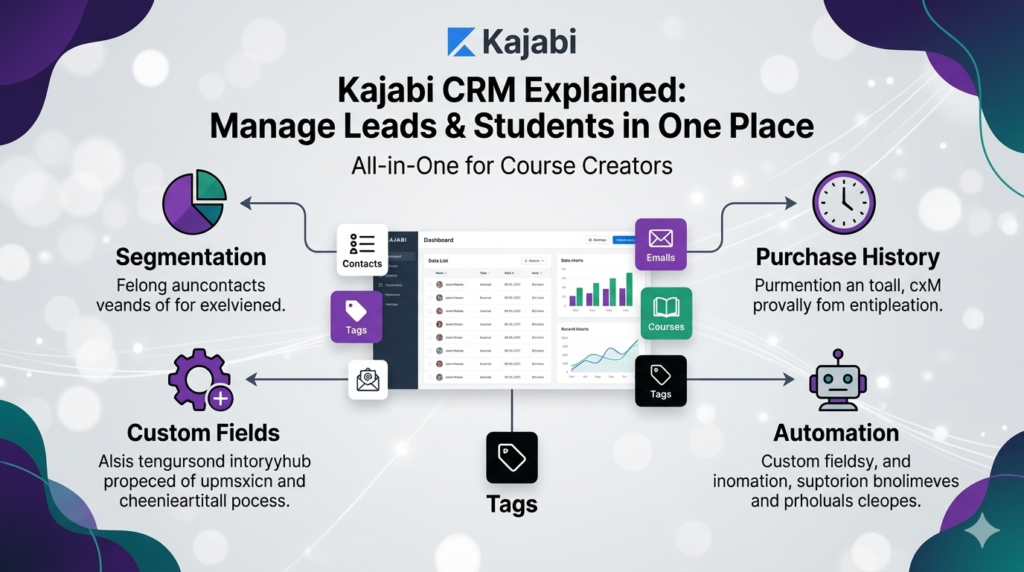
The Kajabi contacts dashboard gives you a few key tools. Each one plays a role in keeping your audience organized without outside software.
- Segmentation and tagging. Tag contacts by actions they take, such as opening an email or completing a lesson. Segment your list and send targeted messages.
- History of purchase and engagement. Every contact profile shows what they bought, when, and how often they log in. This helps you spot students who might need a nudge to finish a course.
- Custom fields. Add fields for job title, location or how a lead found you. This keeps your data organised as your list grows.
- Automation triggers. Tags and actions can trigger automated sequences. A new student tag, for example, can trigger a welcome email series right away.
For a deeper look at how these triggers work, our guide on Kajabi automation workflows walks through real setups step by step.
Kajabi CRM vs Traditional CRM: Which Should You Choose?
This is probably the question we hear most often. Let’s break it down honestly.
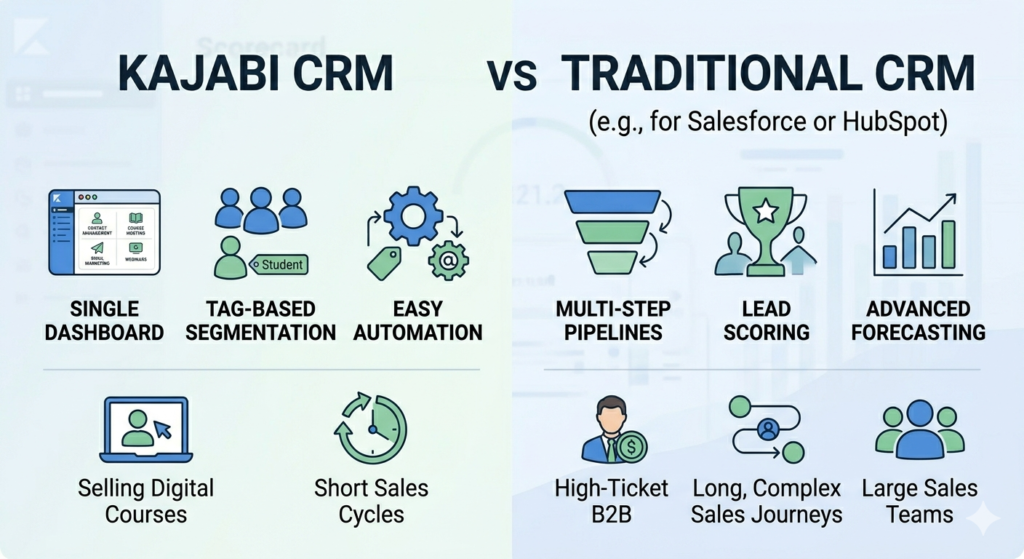
A traditional CRM, like Salesforce or HubSpot, is built for sales teams. It includes lead scoring, deal stages, multi step pipelines, and tools for long sales cycles with many touchpoints. These platforms shine when a sales team is closing high ticket deals.
Kajabi CRM has one job instead: helping course creators manage students and leads inside their content platform. It has solid features that align with the rest of Kajabi, but it lacks pipelines, lead scoring, and forecasting tools.
| Choose Kajabi CRM if… | Choose a Traditional CRM if… |
| You sell digital courses with a short sales cycle | You run a high ticket coaching business with a sales team |
| Leads buy within days or weeks of discovering you | Deals close over a longer, multi step buying journey |
| You want everything in one dashboard, no syncing | You need pipeline stages, lead scoring, and forecasting |
For most solo creators and small course businesses in the USA, Kajabi’s built in system covers the basics well. Larger teams with complex sales processes often outgrow it.
Can You Use Kajabi as a CRM?
Yes, and many creators do exactly that. It makes managing contacts faster and more efficient, and with automation, there’s no room for human error. For example, you can automate the delivery of a free bonus to each person who attends your webinar, so that no one gets missed.
That said, there are limits worth knowing first. Kajabi’s main way of communicating with contacts is through email, and every plan allows unlimited sending, so nurturing leads is not a problem. However, there is no dedicated pipeline feature that visually maps where leads sit in your customer journey.
You also will not find SMS or phone outreach tools built in. If text marketing is central to your strategy, you would need a third party tool layered on top.
Contact limits vary by plan, so it helps to see them side by side.
| Plan | Contact Limit | Best For |
| Basic | 10,000 contacts | New creators starting out |
| Growth | 25,000 contacts | Growing lists and teams |
| Pro | 100,000 contacts | Large, established audiences |
Your list size will eventually determine which tier you need.
What Is the Best CRM for Managing Kajabi Leads and Students Without Extra Software?
If your goal is simplicity, the honest answer is Kajabi’s own built in CRM. It already connects to your courses, emails, and checkout pages. No syncing is needed because everything lives in one place.
Think about what most creators actually need day to day. You want to know who joined your list, what they bought, and whether they are engaging with your content. Kajabi shows you all of that without extra setup or another monthly fee.
This becomes even more useful when you pair contact data with strong email habits. Our article on Kajabi email strategy using broadcasts and sequences shows how to turn your contact list into steady engagement, not just a static database.
And if lead generation is your bigger challenge right now, pairing your CRM efforts with better visibility matters too. Check our guide on increasing online course traffic with Kajabi SEO services to bring in more leads worth managing in the first place.
Kajabi CRM vs HubSpot CRM for Online Course Creators: Which Is Better?
HubSpot is one of the most popular CRMs on the market, and it is free to start, which makes this comparison worth exploring.
| Feature | Kajabi CRM | HubSpot CRM |
| Setup | Built in, zero syncing | Separate platform to connect |
| Pipeline stages | Not available | Detailed, customizable |
| Lead scoring | Not available | Built in |
| Best fit | Short, simple course sales | Long, complex B2B deals |
| Cost | Included in your plan | Free to start, scales with use |
There is no universal winner here. It depends on how complex your sales process actually is, not how complex you think it should look.
Is Kajabi’s Built In CRM Enough for Managing Student Enrollments and Leads?
For most course businesses, yes. Kajabi creates a contact profile the moment someone enrolls, and that profile tracks their journey from there. You can see completion rates, login activity, and payment history in one tab.
Where it falls short is scale. If you run multiple business lines or track a long B2B sales cycle, you will likely feel the limits. Kajabi’s CRM has basic contact tools, but it lacks an easy way to find and merge duplicate contacts, and you can only merge two at a time. That gets tedious once your list grows into the thousands.
Still, for a typical solo creator or small team, the built in system removes the need for anything extra. You save money, save setup time, and your data stays in one tidy place.
If you are also comparing Kajabi against other all in one platforms, our breakdown of Kajabi vs ClickFunnels covers how each handles funnels, contacts, and conversions side by side.
Tips to Get the Most Out of Kajabi Customer Management
A few small habits make a big difference over time.
- Tag contacts consistently. Build a simple system early, before your list grows large. Something like “lead,” “trial,” and “paying student” keeps things clear.
- Clean your list regularly. Merge duplicate contacts every few months to keep reporting accurate and email costs lower.
- Automate repetitive tasks. Let tags trigger welcome sequences, renewal reminders, or completion emails automatically. This saves hours each week. For more, see our guide on running Kajabi email campaigns successfully.
- Review engagement data monthly. Check who has not opened emails or logged in recently. A short re-engagement campaign can win back students before they churn.
Final Thoughts
Kajabi CRM will not replace a dedicated sales platform for every business. But for course creators, coaches, and membership site owners across the USA, it keeps leads, students, and content under one roof, without forcing you to pay for, learn, and sync a separate CRM tool.
If your business runs on courses and digital products with a simple sales process, Kajabi’s built in contact system is likely all you need. If your sales cycle is longer and more complex, pairing Kajabi with a dedicated CRM might make sense down the line. Either way, knowing what Kajabi can and cannot do helps you make that call with confidence, not guesswork.
FAQs
Kajabi vs Traditional CRM: Which Should You Choose?
Choose Kajabi if you sell courses or memberships with a short, simple buying journey. Choose a traditional CRM like Salesforce or HubSpot if you run a sales team handling long, multi step deals.
Can You Use Kajabi as a CRM?
Yes. Kajabi includes built in contact management, tagging, purchase history, and automation triggers. It works well for course based businesses, though it lacks advanced pipeline and lead scoring tools.
What is the best CRM for managing Kajabi leads and students without extra software?
Kajabi’s own built in CRM, since it is already connected to your courses, emails, and checkout pages. No extra software is required.
Kajabi CRM vs HubSpot CRM for online course creators, which is better?
HubSpot offers more advanced features like lead scoring and pipeline stages. Kajabi offers simpler, fully integrated contact management. Simple sales cycles usually suit Kajabi, while complex B2B sales often suit HubSpot.
Is Kajabi’s built in CRM enough for managing student enrollments and leads?
For most solo creators and small teams, yes. It tracks enrollments, purchases, and engagement automatically. Larger businesses with complex lists may eventually need more advanced tools.
Does Kajabi CRM support SMS or text marketing?
No. Kajabi focuses on email as its primary channel. SMS marketing requires a separate third party integration.
How many contacts can I store in Kajabi?
This depends on your plan. Lower tiers support a few thousand contacts, while Pro supports up to 100,000.
References
1. SupplyGem, “Can You Use Kajabi as a CRM?” https://supplygem.com/kajabi-crm/
2. Capterra, “Kajabi Software Pricing, Alternatives & More” https://www.capterra.com/p/154682/Kajabi/
3. Mihael Cacic, “Ontraport vs Kajabi: A Personal Review” https://www.mihaelcacic.com/comparison/ontraport-vs-kajabi/
4. Williams Advice, “Is Kajabi Worth It? An Honest and Detailed Kajabi Review” https://williamsadvice.com/is-kajabi-worth-it-an-honest-kijabi-review-2026/
Authorized By
Hifza Naeem
