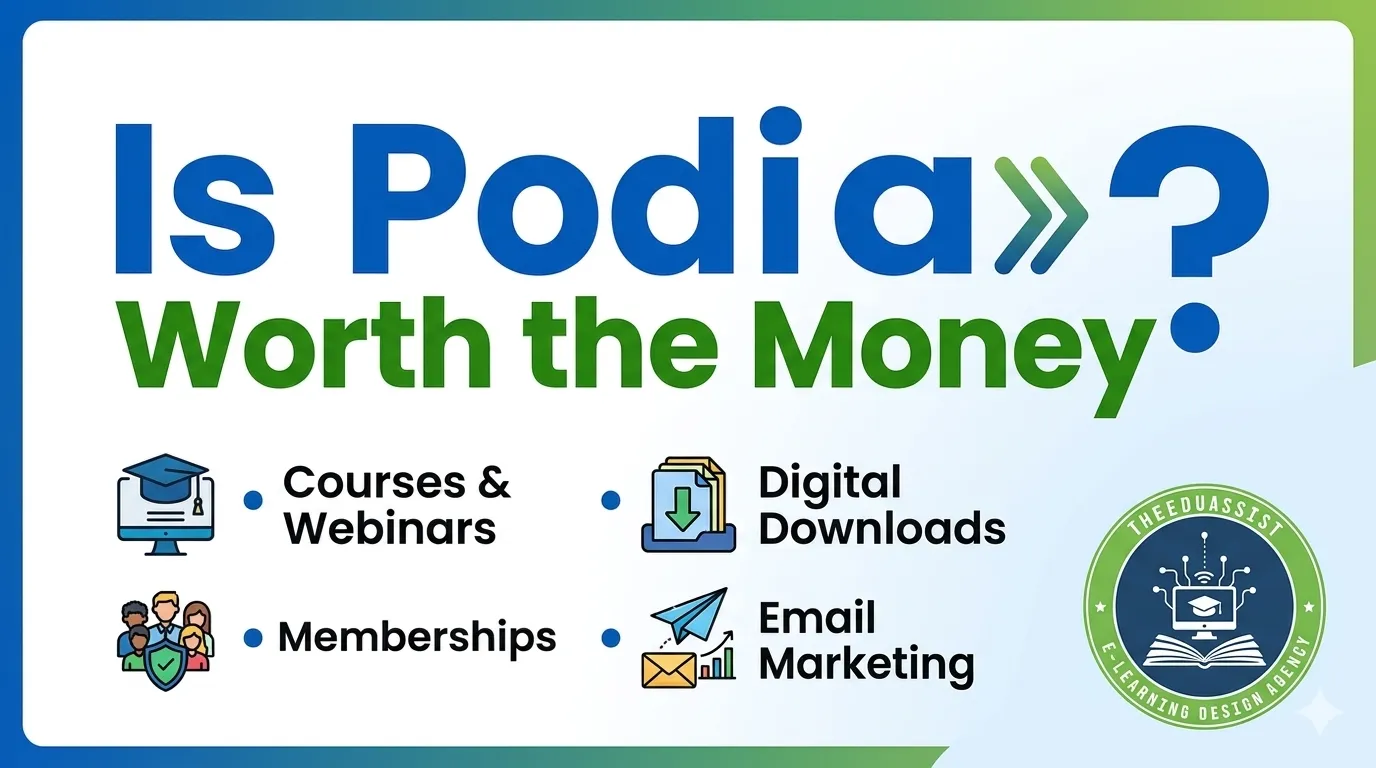
Choosing the wrong online course platform can lead to high costs, low student engagement, complicated workflows, and poor scalability. Podia has become a popular solution because it combines course hosting, memberships, email marketing, coaching, and digital product sales into one easy-to-use platform.
Many creators struggle with juggling multiple tools for courses, email marketing, memberships, and community management.This matters because the platform you choose directly affects learner experience, course completion, and revenue growth.
In this guide by TheEduAssist, you will learn:
- What Podia is
- Podia pricing plans explained
- Strong features and limitations
- Podia vs Kajabi
- Podia vs Teachable
- Best Podia alternatives
- Which plan fits your business
What Is Podia?
Podia is an all-in-one creator platform designed for selling:
- Online courses
- Memberships
- Coaching
- Digital downloads
- Webinars
- Community access
Unlike traditional LMS platforms, Podia focuses on simplicity and creator-friendly workflows.
It is especially popular among:
- Course creators
- Coaches
- Consultants
- Small training businesses
- Educational entrepreneurs
Podia Platform Type:
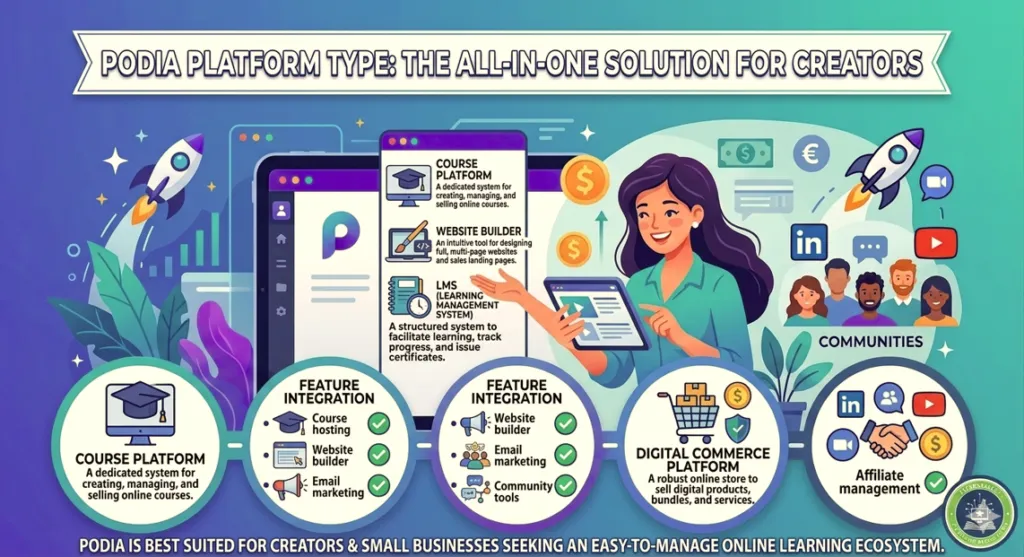
Many users search for “Podia platform type” because they want to know whether it is:
- A course platform
- A website builder
- An LMS
- A digital commerce platform
Podia combines all of these features in one dashboard.
| Feature | Included |
|---|---|
| Course hosting | Yes |
| Website builder | Yes |
| Email marketing | Yes |
| Memberships | Yes |
| Community tools | Yes |
| Affiliate management | Yes |
Podia is best suited for creators and small businesses looking for an easy-to-manage online learning ecosystem.
Podia Services Offered:
Online Courses
Users can upload:
- Videos
- PDFs
- Audio lessons
- Downloads
- Quizzes
Courses can be self-paced or drip-based.
Memberships
Membership tools allow creators to generate recurring revenue through private communities and premium learning access.
Digital Downloads
Podia supports selling:
- Templates
- EBooks
- Worksheets
- Toolkits
This is useful for instructional designers and educators wanting extra revenue streams.
Coaching
Creators can combine coaching sessions with courses and memberships inside one platform.
Email Marketing
Podia includes:
- Broadcast emails
- Automations
- Welcome sequences
- Audience segmentation
This reduces dependency on external email tools.
Podia Pricing (2026)
Podia generally offers three main plans.
| Plan | Best For | Pricing Style |
|---|---|---|
| Free | Beginners | Free with fees |
| Mover | Small creators | Mid-range |
| Shaker | Scaling businesses | Premium tier |
Podia Pricing 2026: Mover vs Shaker & the 5% Fee
Free Plan
The free plan is ideal for testing products.
However, it includes:
- Transaction fees
- Limited features
- Fewer customization options
Mover Plan
The Mover plan is best for:
- Course creators
- Coaches
- Freelancers
- Educators
Includes
- Courses
- Memberships
- Email marketing
- Website builder
- Customer messaging
Shaker Plan
The Shaker plan supports scaling businesses.
Includes
- Affiliate management
- Advanced automations
- Blog features
- Team support
This plan works best for businesses managing multiple digital products.
Is Podia Worth the Money?
Podia Is Worth It If You Want:
- Simple setup
- Lower costs
- Built-in email marketing
- Membership functionality
- Community engagement
- Multiple product types
Podia May Not Be Ideal If You Need:
- Enterprise LMS reporting
- SCORM compliance
- Advanced analytics
- Complex learning paths
- Corporate compliance training
Larger organizations may require more advanced LMS solutions.
Strong Features That Make Podia Popular
1. Beginner-Friendly Interface of Podia
Podia is known for its clean dashboard and easy navigation.
Benefits include:
- Faster setup
- Minimal learning curve
- Easy content management
2. Built-In Email Marketing
Instead of paying separately for email tools, Podia includes:
- Campaigns
- Automations
- Audience segmentation
This helps creators reduce software costs.
3. Community Features
Community-driven learning often improves learner engagement and course completion.
Podia allows creators to build private learning communities without extra software.
4. Flexible Product Selling
Users can sell:
- Courses
- Memberships
- Coaching
- Downloads
- Workshops
inside one ecosystem.
5. Simple Website Builder
Podia includes landing pages and checkout pages that require no coding knowledge.
This helps creators launch faster.
Step-by-Step: How to Start Using Podia
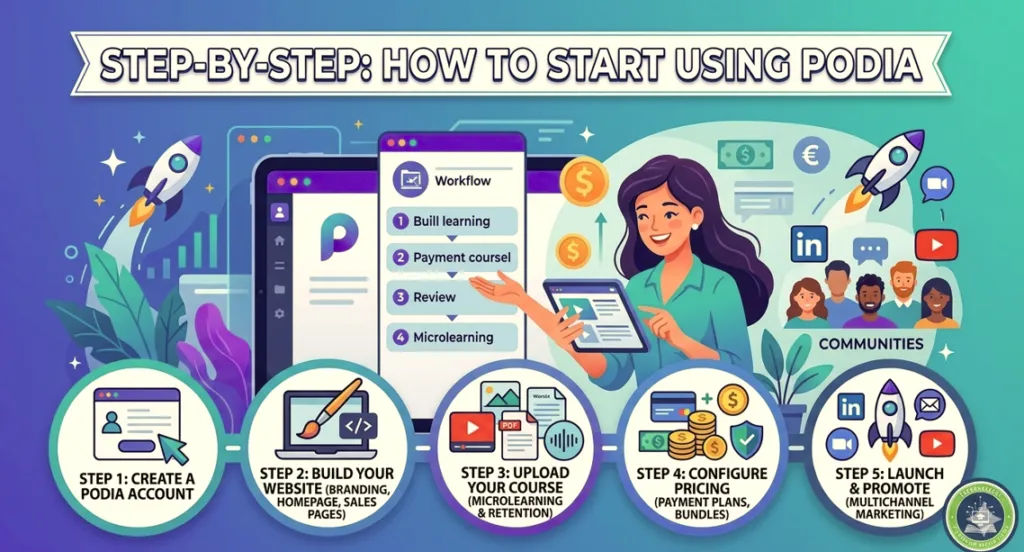
Step 1: Create an Account on Podia
Start with the free plan to explore the dashboard.
Step 2: Build Your Website
Customize:
- Branding
- Homepage
- Navigation
- Sales pages
Step 3: Upload Your Course on Podia
Add:
- Videos
- PDFs
- Worksheets
- Audio lessons
Use short lessons and microlearning techniques to improve retention.
Step 4: Configure Pricing
You can offer:
- One-time payments
- Memberships
- Payment plans
- Bundles
Step 5: Launch and Promote
Promote your course through:
- Email marketing
- Webinars
- YouTube
- Communities
Real Example
A business coach selling:
- A premium course
- Weekly coaching
- Downloadable templates
- Community access
can manage everything through Podia instead of using multiple separate platforms.
This simplifies workflows and reduces operational costs.
Podia vs Kajabi
Choose Podia If You Want:
- Lower pricing
- Easier setup
- Simpler workflows
- Faster launches
Choose Kajabi If You Need:
- Advanced automation
- Sophisticated funnels
- More customization
- Enterprise-level marketing
Kajabi is more powerful but significantly more expensive.
Podia vs Teachable
Podia Strengths
- Better community features
- Membership functionality
- Multiple product support
- Simpler interface
Teachable Strengths
- Stronger course-focused structure
- Better student management
- More educational platform feel
Choose Podia if you are a creator business.
Choose Teachable if your focus is structured online education.
Podia Alternatives
Popular Podia alternatives include:
- Kajabi
- Thinkific
- Teachable
- LearnWorlds
- Circle
- Mighty Networks
- Systeme.io
Each platform serves different business goals and learning strategies.
https://theeduassist.com/blog/9-best-online-learning-platforms-tried-and-tested-2026/
Podia Reviews: Common Feedback
What Users Like in Podia
- Easy setup
- Beginner-friendly design
- Affordable pricing
- Multiple product support
- Helpful customer support
Common Complaints in Podia
- Limited customization
- Basic analytics
- Fewer enterprise features
These issues mostly affect larger organizations.

Best Practices for Better Learning Results
Use Microlearning
Keep lessons short and focused.
Good examples:
- 5-minute videos
- Short quizzes
- Downloadable summaries
Add Community Interaction
Encourage:
- Discussions
- Peer support
- Accountability groups
Community engagement often improves retention.
Optimize for Mobile Learning
Most learners now access courses through smartphones.
Use:
- Readable text
- Short videos
- Simple navigation
Which Podia Plan Works Best?
Best for Beginners
The free plan works best for testing ideas.
Best for Course Creators
Mover is ideal for creators wanting professional branding and memberships.
Best for Scaling Businesses
Shaker is suitable for businesses needing affiliates and advanced automation.
Is Podia Worth It in 2026?
Podia provides strong value for:
- Course creators
- Coaches
- Consultants
- Educators
- Small training businesses
Its biggest strengths are:
- Simplicity
- Built-in marketing tools
- Membership support
- Easy setup
- Affordable pricing compared to Kajabi
The best learning platform is not the one with the most features.
It is the one your learners actually use consistently.
For creators wanting a clean, easy-to-manage platform without unnecessary complexity, Podia is a strong choice.
Conclusion
Podia helps creators simplify online learning businesses by combining:
- Courses
- Memberships
- Email marketing
- Coaching
- Community tools
inside one platform.
For many educators and creators, this reduces costs, improves workflow efficiency, and creates better learner experiences.
At TheEduAssist, the focus is always on choosing platforms that improve both business performance and learning outcomes.
If you are comparing Podia, Kajabi, Teachable, or Thinkific, choose the platform that best supports:
- Your learners
- Your content strategy
- Your budget
- Your long-term growth goals
References:
International Journal of Research Publication and Reviews. (n.d.). The effectiveness of online learning platform courses offered to… https://ijrpr.com/uploads/V5ISSUE5/IJRPR28918.pdf
Software Advice. (2026). Podia reviews, pros and cons. https://www.softwareadvice.com/product/404422-Coach/reviews/
The Online Journal for Distance Education and e-Learning. (n.d.). A comparative study of e-learning platforms and associated… https://tojdel.net/journals/tojdel/articles/v09i02/v09i02-01.pdf
GetApp. (2026, March 12). Podia 2026 pricing, features, reviews & alternatives. https://www.getapp.com/it-communications-software/a/podia/
Kuruntha. (n.d.). Podia review 2026: Is it worth buying? https://www.kuruntha.com/blog/podia-review-2026
Podia. (n.d.). Podia vs. Teachable. https://www.podia.com/podia-vs-teachable
Podia. (2026, April 12). Podia vs. Thinkific. https://www.podia.com/podia-vs-thinkific
FAQs:
Is Podia beginner-friendly?
Yes. Podia is widely considered one of the easiest creator platforms to use.
Does Podia support memberships?
Yes. Memberships are one of its strongest features.
Can Podia replace Kajabi?
For many creators and small businesses, yes.
However, larger businesses may still prefer Kajabi for advanced automation.
Is Podia good for educational institutions?
It works well for lightweight online learning ecosystems but may not suit enterprise compliance training.
Ready to Build Better Learning Experiences?
TheEduAssist helps course creators, training institutes, and L&D teams choose scalable learning solutions and modern digital education strategies.
Authored By : Atiqa Sajid http://www.linkedin.com/in/atiqa-sajid-747b57137