
Uploading a course to kajabi often feels harder than creating the content. Creators and instructional designers struggle because video files are large and unoptimized, lesson names and metadata are inconsistent, and access/drip rules are set incorrectly. These problems cause slow uploads, broken playback, confused learners, and wasted launch momentum.
This matters because a clunky course experience lowers completion rates, increases refund requests, and damages your brand reputation. Every hour spent fixing upload mistakes is an hour not spent on marketing, improving learning design, or supporting students. For teams and solo creators alike, a smooth upload process protects revenue and learner outcomes.
The solution is a repeatable, tested upload workflow: optimize media for web, standardize filenames and metadata, configure access carefully, and test across devices. TheEduAssist combines clear documentation, free DIY templates, and optional full-service uploads so you can launch confidently.
Step-by-step (high level)
- Plan course structure and naming conventions.
- Prepare and compress media; create SRTs and transcripts.
- Create the Product in kajabi and build the curriculum.
- Set access, pricing, and drip rules.
- Test playback and the purchase flow on desktop and mobile.
- Publish, monitor analytics, and iterate.
Why you may be struggling
- You’ve recorded great lessons but the course feels clunky online.
- Uploads fail or take forever because files are the wrong format or size.
- Navigation, tagging, and lesson order don’t match learner flow.Why it matters
- Poor upload processes hurt learner experience, reduce completion rates, and increase refunds.
- Time lost in manual fixes wastes your launch momentum and marketing budget.Solution
- Follow a tested upload checklist, use proven file and metadata standards, and consider a specialist service (like TheEduAssist) for fast, error-free uploads.
Step-by-step process (high level)
- Plan course structure and naming conventions.
- Prepare media (optimize video/audio, create thumbnails, compress files).
- Create Product → Upload Content in Kajabi; set access and drip rules.
- Add metadata: titles, descriptions, tags, attachments.
- Test on desktop and mobile; fix broken links or playback issues.
- Publish and monitor analytics; iterate.
7 Powerful Kajabi Course Creation Services That Skyrocket Sales
H2: Common upload mistakes (and quick fixes)
H3: 1. Uploading unoptimized video files
- Problem: Large MP4s or high-bitrate exports cause slow upload, playback buffering, and failed imports.
- Why it happens: Creators export at camera or editing-resolved settings without compressing for web.
- Fix:
Target 720p–1080p H.264 MP4; bitrate 2,500–5,000 kbps for 1080p.
Use HandBrake or cloud transcoders to batch compress.
Add captions and an SRT file to improve accessibility and SEO.
H3: 2. Messy naming conventions and disorganized course structure
- Problem: Lessons named “Lecture1_FINAL_v3.mp4” create confusion; ordering breaks when re-uploaded.
- Fix:
Use clear naming: Module01_Lesson02_Title.mp4.
Build a simple spreadsheet (columns: module, lesson, filename, duration, caption file).
Import using the spreadsheet as source of truth.
H3: 3. Forgetting to set access/drip rules correctly
- Problem: Students get access to everything too early or nothing at all.
- Fix:
Define access: immediate, drip (days after purchase), or prerequisite-based.
Test using a student test account or incognito browser.
H3: 4. Missing metadata and weak lesson descriptions
- Problem: Lessons without descriptions, learning objectives, or tags reduce discoverability and learner clarity.
- Fix:
Write a 1–2 sentence objective per lesson.
Add tags (skill level, topic) for search and filtering in the Kajabi dashboard.
Use the product description for outcomes and benefits.
H3: 5. Not optimizing thumbnails and cover images
- Problem: Poor thumbnails lower click-through rates in course libraries.
- Fix:
Use 1280×720 PNG/JPG thumbnails with readable text overlays.
Keep branding consistent; test variations for CTR.
H3: 6. Skipping accessibility (captions, transcripts, contrast)
- Problem: Failing WCAG basics excludes learners and risks compliance issues.
- Fix:
Upload captions (SRT) and provide downloadable transcripts.
Ensure colors meet contrast ratios and navigation works with keyboard only.
H3: 7. Not testing across devices and browsers
- Problem: Desktop works but mobile playback fails, or embedded content breaks on Safari.
- Fix:
Test on iOS Safari, Chrome, Firefox, and common Android browsers.
Use different network speeds (simulate 3G/4G).
H2: A complete pre-upload checklist (use before you begin)
- Finalize course outline and module order.
- Export videos to web-optimized settings (H.264 MP4).
- Create SRT captions and full transcripts.
- Prepare images: cover, thumbnails, module icons.
- Create downloadable attachments (PDFs, worksheets).
- Spreadsheet for upload mapping (module, lesson, filename, duration, tags).
- Prepare product settings: pricing, access, drip schedule, coupon codes.
- Test content in a staging site or private product.
- Backup master files to cloud storage.
H2: Step-by-step guide to uploading a course in Kajabi
H3: Step 1 Prepare your assets
- Use the checklist above. Keep a single folder per course.
- Example naming convention:
Module01_Lesson01_Intro.mp4
Module01_Lesson01_Captions.srt
Module01_Lesson01_Transcript.pdf
H3: Step 2 Create a Product in Kajabi
- In Kajabi: Products → New Product → Choose “Course” template.
- Enter product title and short description focused on outcomes.
- Add thumbnail and cover image (see image specs above).
H3: Step 3 Build the curriculum
- Add a new Category (Module) → Add Posts (Lessons).
- For each lesson:
Upload video file and SRT caption file.
Add lesson description and learning objective.
Attach related PDFs or worksheets.
H3: Step 4 Configure access and pricing
- Choose free, one-time, subscription, or payment plan.
- Set access: full, drip schedule, or prerequisite.
- Add expiration if offering time-limited access.
H3: Step 5 Set up offers and funnels
- Create an Offer (Products → Offers) to connect payments and access.
- Set landing pages and checkout using Kajabi Pages.
- Test a full purchase flow using a sandbox or low-cost coupon.
H3: Step 6 Test before launch
- Create a test user account or use “Preview as student”.
- Check video playback, captions, downloadable attachments, mobile responsiveness, and checkout.
H3: Step 7 Monitor and iterate
- Use Kajabi analytics: course completion, refund requests, and engagement heatmaps.
- Update lessons based on feedback and add short microlearning refreshers.
H2: Real examples and annotated screenshots
Example 1 A 6-module course for SMEs (TheEduAssist client)
- Goal: Teach small business owners digital marketing basics.
- Setup:
6 modules, 24 lessons, average lesson length 8–12 minutes.
Resources: 24 worksheets, 6 quizzes, 6 templates. - Outcome:
Launch time cut from 5 days to 1 day using a structured upload process and TheEduAssist upload service. - Key fixes applied:
Standardized filenames and metadata, batch compressed videos, uploaded SRTs, set drip schedule (one module per week), and added a completion certificate.
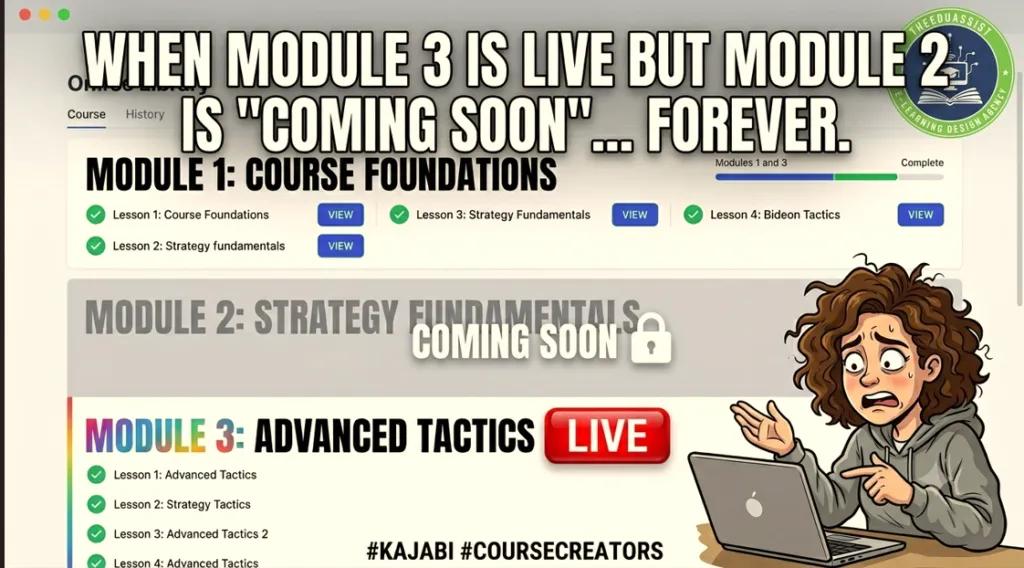
[Screenshot placeholder: Module setup in Kajabi dashboard — /images/kajabi-module-setup.png]Caption: Example module with lessons and attachments.
Example 2 Solo creator using a free upload workflow
- Context: Creator on a budget seeking “kajabi course upload services Free”.
- Approach:
Use free tools: HandBrake for compression, Google Docs for transcripts, Canva for thumbnails.
Follow the spreadsheet mapping method to avoid misordering. - Result:
Professional launch with zero budget spent on upload services; saved ~12 hours.
[Annotated screenshot placeholder: HandBrake export settings — /images/handbrake-settings.png]
H2: Pricing and services how TheEduAssist helps
H3: Service tiers (example)
- Free DIY support (kajabi course upload services Free)
Downloadable checklist, spreadsheet template, and how-to blog posts (kajabi course upload services blog). - Beginner pack (kajabi course upload services for beginner)
Hand-holding onboarding call, 1 product setup, 5 lessons uploaded, basic QA. - Complete upload service (kajabi course upload services complete)
Full upload of course content, metadata, captions, thumbnails, quizzes, and checks across devices. - Enterprise / L&D (custom pricing)
Bulk uploads, SCORM/migration support, LMS integration, and WCAG accessibility auditing.
H3: Cost examples (kajabi course upload services cost)
- Starter: $99–$249 (small course, up to 10 lessons).
- Complete: $499–$1,499 (up to 50 lessons, captions, attachments).
- Enterprise: custom quotes based on volume and integrations.Note: Prices are illustrative; request a quote from TheEduAssist for exact figures.
H3: Documentation and dashboard links
- How-to docs (kajabi course upload services Documentation): Provide stepwise docs, upload templates, and captioning guides.
- Dashboard links (kajabi course upload services dashboard): We provide clients with a shared project dashboard (Trello/Asana) with upload status, screenshots, and QA checklists.
H2: Common technical FAQs
- What video formats does Kajabi accept?
Recommended: MP4 (H.264), AAC audio. Use 720p–1080p. - How do I add captions?
Upload SRT files to the lesson video; test playback with captions enabled. - Can I bulk upload?
Kajabi supports multiple uploads but use a consistent naming convention; consider using a migration service for large catalogs. - How long does upload take?
Depends on file sizes and connection speed; compress files to reduce time.
H2: Best practices for learner engagement and completion
- Chunk lessons into 6–12 minute segments for microlearning.
- Use a mix of video, PDFs, and short quizzes to reinforce learning.
- Add interactive elements: assignments, community posts, and live office hours.
- Provide a clear roadmap and learning objectives at the start of each module.
- Send automated email nudges using Kajabi automations for students who stall.
H2: Accessibility, compliance, and quality assurance
- Always upload captions (SRT) and provide transcripts.
- Check color contrast and font sizes for readability.
- Offer downloadable assets in accessible formats (tagged PDFs).
- Run a QA checklist: playback, captions, links, downloads, mobile layout.
H2: Migration tips (from other platforms)
- Export content and metadata from old LMS; map fields to Kajabi.
- Re-encode videos to recommended formats.
- Recreate quizzes and certificates if necessary; export CSVs for bulk updates.
- Use a migration partner for large catalogs to avoid data loss.
H2: SEO and marketing tips using Kajabi
- Optimize product and lesson titles with clear benefits (not just keywords).
- Add transcripts to improve search indexing.
- Use attractive thumbnails and compelling course descriptions.
- Create a promotional content plan: blog posts, email sequences, and paid ads.
- Add reviews and testimonials in the product page to improve conversions.
H2: Tools and resources (research-backed)
- Video compression: HandBrake, ffmpeg.
- Captioning: Rev, Descript, Otter.ai (then edit for accuracy).
- Images: Canva for thumbnails, Adobe Express.
- Project management: Trello, Asana, Notion for upload dashboards.
- Research and reading: eLearning Industry, Journal of Research on Technology in Education, British Journal of Educational Technology (links available for deeper study).
H2: Case study improving completion rates
- Situation: 300-enrollment course with 22% completion.
- Intervention:
Rechunked lessons into 8–10 minute microlearning pieces.
Added transcripts, quizzes, and progress emails.
Fixed poor-performing videos (recompressed and uploaded). - Result:
Completion increased to 46% in 8 weeks. - What we tracked: lesson view time, quiz pass rates, dropout points.
H2: Wrap-up final checklist before you publish
- All videos compressed, uploaded, and tested.
- Captions and transcripts attached.
- Thumbnails and product images set.
- Price, access, and offers configured.
- Test student account verified playback and checkout.
- Launch plan and promotional sequence ready.
Conclusion
Launching a professional course on Kajabi doesn’t have to be chaotic. Avoid the seven common mistakes above by following a repeatable upload process, using good file practices, and testing across devices. For creators on a budget, use free tools and TheEduAssist’s free resources (kajabi course upload services Free, kajabi course upload services blog). For faster launches and guaranteed quality, TheEduAssist offers tailored packages (kajabi course upload services complete, kajabi course upload services cost depending on scope).
References:
Kajabi Help Center. (2024, January 14). Upload videos to your course product lessons. Kajabi Help Center. https://help.kajabi.com/articles/products/courses/uploading-videos-to-your-course-product-lessons
Kajabi Help Center. (2024, August 5). Course details (API reference). Kajabi Help Center. https://help.kajabi.com/api-reference/courses/course-details
British Journal of Educational Technology. (n.d.). British Journal of Educational Technology. https://bera-journals.onlinelibrary.wiley.com/journal/1467853
eLearning Industry. (n.d.). eLearning Industry Articles and resources. https://elearningindustry.com/
FAQs:
Why should I use a Kajabi course upload service?
Save time, ensure a polished, scalable course structure, proper tagging and sequencing, and fewer technical hiccups during launch
What files can you upload to Kajabi?
Videos (MP4), audio, PDFs, slides, quizzes, downloadable resources, and text content. We’ll format and organize them for best learner flow.
How long does a typical Kajabi upload project take?
It depends on course length, but most projects range from 3–10 business days. Exact timeline is confirmed in a project brief.
Can you set up quizzes, assignments, and certificates?
Absolutely. We configure quizzes, graded tasks, and completion certificates where Kajabi supports them.
Will you customize templates and pages for my course?
Yes. We tailor landing pages, sales pages, and course templates to match your branding and voice.
Can you optimize SEO and discoverability on Kajabi?
We optimize titles, descriptions, keywords, hero images, and meta data to improve search visibility inside and outside Kajabi.
Do you handle revisions or edits after uploads?
Yes. Most services include a revision window. Additional edits may incur a small fee depending on scope.
How do you protect my content and confidentiality?
Share a brief of your course assets and goals (video count, resources, pages). We’ll propose a plan, timeline, and quote, then begin after approval.
CTA:
Ready to launch without the headaches? Contact TheEduAssist for a free upload audit or a quote for full-service course upload support. Visit TheEduAssist.com/contact or reply to this message to get a project dashboard and a sample upload checklist today.
Authored By : Atiqa Sajid http://www.linkedin.com/in/atiqa-sajid-747b57137