You’ve done the hard part: setting up Moodle, structuring your LMS, and recording your course. But now comes the real question: How do you actually sell a Moodle course?
Not marketing. Not ads.
But the technical systems, pricing models, and tools that turn your Moodle LMS into a revenue-generating platform.
This guide breaks down:
- Moodle-compatible selling tools & plugins
- Pricing models for course creators
- Cost realities in 2026
- Why many Moodle setups fail to monetize
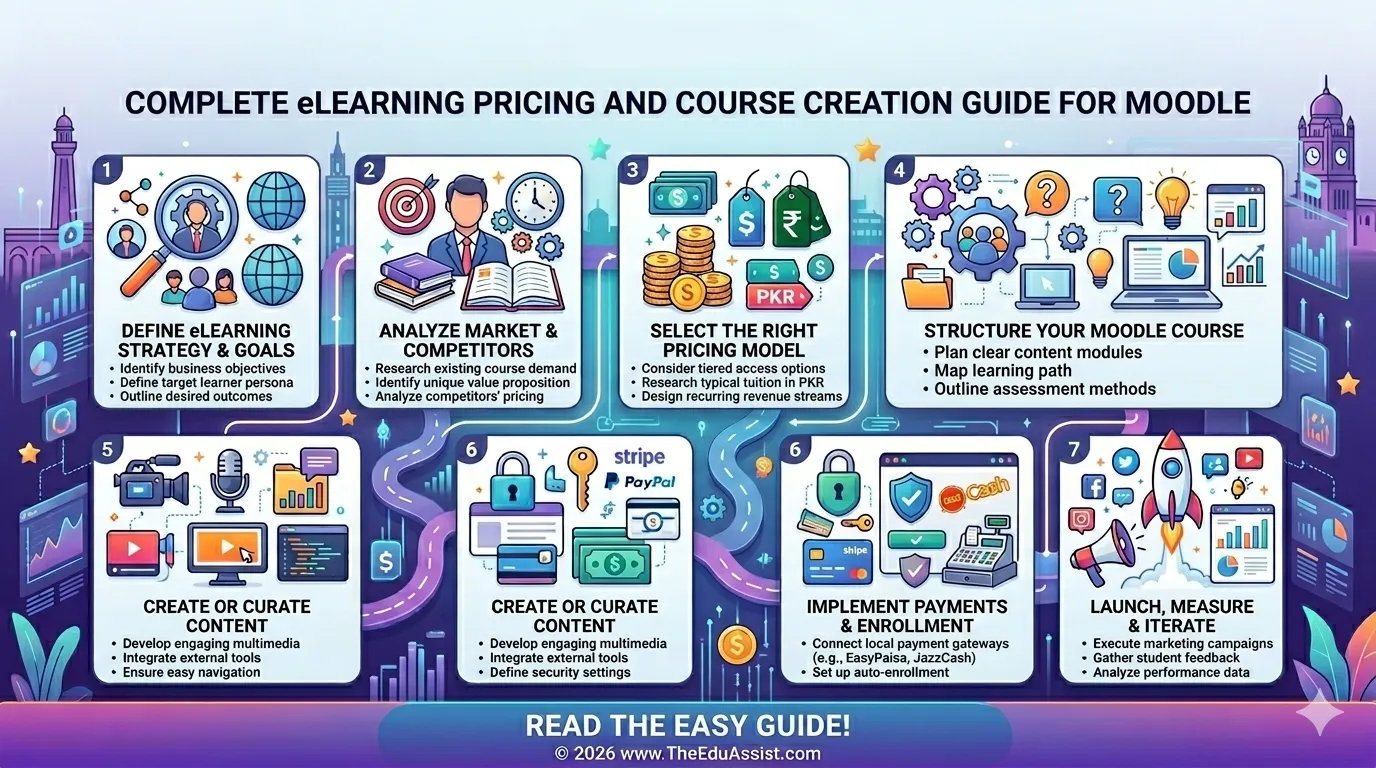
- A structured system to sell your course effectively
The Real Problem: Moodle Is Not Built to Sell (By Default)
Moodle is a powerful LMS (Learning Management System), but it is not inherently a sales platform.
That means:
- No built-in checkout system
- No native subscription billing
- Limited payment gateway integrations
- No funnel or product-based selling logic
Research in digital learning environments shows that while Moodle excels in content delivery and structured learning, it lacks strong commercial capabilities unless extended with external systems.
In simple terms:
Moodle helps you teach. It doesn’t help you sell, unless you extend it.
Step 1: Choose the Right Monetization Model
1. One-Time Purchase Model
- Fixed price (e.g., $49–$299)
- Lifetime access
- Best for recorded courses
2. Subscription Model
- Monthly or yearly billing
- Great for academies or ongoing content
3. Cohort-Based Pricing
- Fixed enrollment window
- Premium pricing ($200–$2000+)
4. Certification-Based Pricing
- Pay for exam + certificate
- Works well for corporate training and L&D programs
Step 2: Moodle Plugins & Tools to Sell Courses
Core Moodle Payment Plugins
- PayPal Enrollment Plugin
- Built-in in many Moodle setups
- Allows users to pay before enrolling
Limitation: Basic UX, no funnel control
- Stripe Integration (via plugins)
- Modern checkout experience
- Supports subscriptions
Best for: creators scaling globally
- WooCommerce + Moodle Integration
- Use WordPress + WooCommerce as a frontend store
- Moodle as backend LMS
This is one of the most scalable setups in 2026.
- Edwiser Bridge (Popular Solution)
- Connects WordPress + Moodle
- Sell courses like products
Features: - Course bundles
- Discount codes
- Memberships
- Moodle E-commerce Plugins (like Enrolment Plugins)
- Custom enrollment-based pricing
- Flexible access control
Step 3: Advanced Selling Stack (Recommended Setup)
| Function | Tool |
|---|---|
| Website & Store | WordPress |
| Payment Processing | WooCommerce / Stripe |
| LMS Backend | Moodle |
| Integration | Edwiser Bridge |
| Marketing (optional) | Kajabi / funnels |
Cost Reality Check (2026)
Initial Setup Costs
- Moodle Hosting: $20–$200/month
- Domain & Hosting (WordPress): $50–$150/year
- Premium Plugins: $100–$500/year
Development Costs (Optional)
- Moodle Developer: $500–$5000
- Custom plugin integration: $300–$2000
Ongoing Costs
- Payment gateway fees (2–5%)
- Maintenance & updates
Why Most Moodle Course Sellers Fail
- Relying only on Moodle (no optimized checkout)
- Poor pricing strategy
- No structured content packaging
- Lack of learner engagement system
Step 4: Structure Your Course for Sales (Not Just Learning)
Key elements:
- Clear learning outcomes
- Modular structure (microlearning)
- Certificates or completion badges
- Downloadable resources
- Assessments & quizzes
Local Relevance: Moodle Course Creation Across California
- Los Angeles
- San Diego
- San Jose
- San Francisco
- Fresno
Step 5: A Simple Framework to Sell Your Moodle Course
Phase 1: Setup
- Configure Moodle
- Upload structured content
- Install payment plugin
Phase 2: Monetization Layer
- Connect WooCommerce or Stripe
- Create course as a product
- Set pricing model
Phase 3: User Experience
- Simple checkout
- Automated enrollment
- Email confirmation
Phase 4: Optimization
- Track enrollments
- Improve pricing
- Enhance content experience
Strategic Takeaway
Moodle is one of the most powerful custom eLearning platforms, but only when paired with the right tools.
A hybrid system (Moodle + eCommerce tools) unlocks scalable course selling, better user experience, and higher conversions.
References
- https://link.springer.com/chapter/10.1007/978-3-031-11578-3_4
- https://www.sciencedirect.com/science/article/abs/pii/S0747563219303802
- https://www.researchgate.net/publication/368414517_Canadian_E-learning_platform_Using_Moodle_for_Course_Creation
FAQs
1. How can I sell my Moodle course online without marketing tools?
Yes, you can sell your Moodle course by using built-in or third-party payment plugins like PayPal or Stripe. However, Moodle alone has limited sales functionality. For a smoother buying experience and automated enrollments, most creators use integrations like WooCommerce.
2. What is the best plugin or software to sell courses on Moodle in 2026?
Edwiser Bridge with WooCommerce is one of the most effective solutions.
3. Is Moodle a good platform for selling online courses or just for teaching?
Excellent for course delivery and learner management, but needs additional tools for selling.
4. What is the ideal pricing strategy for selling a Moodle course in 2026?
Typically $49 to $500+, depending on depth, niche, and value offered. Subscription and bundle models are also popular.
5. Do I need WordPress or WooCommerce to sell Moodle courses successfully?
Not mandatory, but highly recommended for a professional storefront, better payments, and higher conversions.
Authored by: Sofia Arif