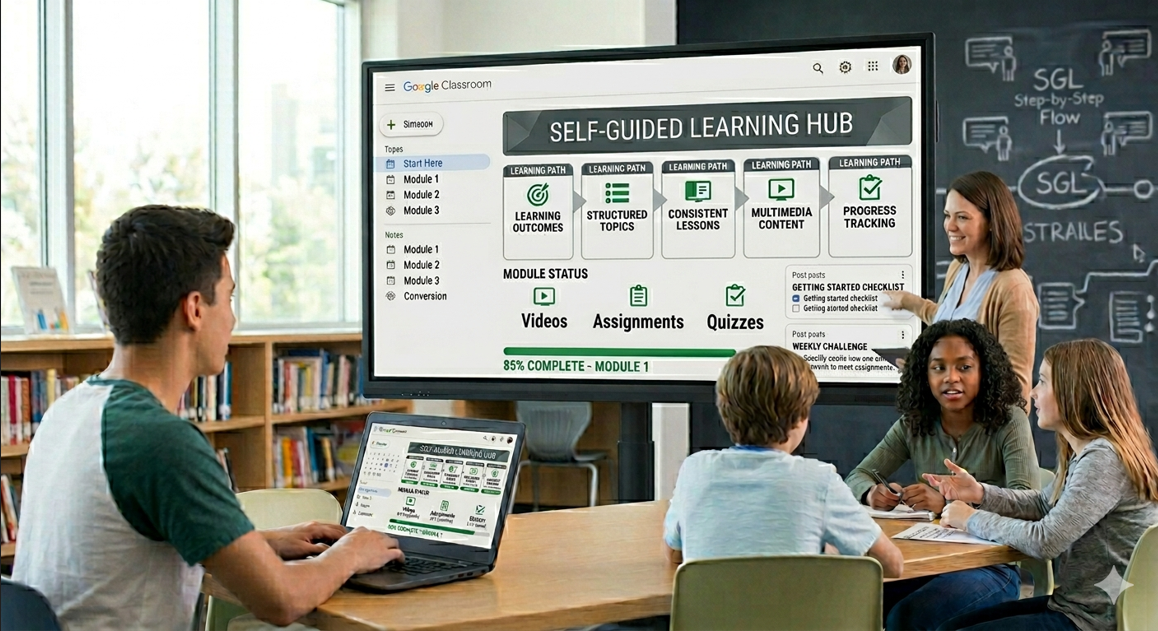
Creating self-guided learning experiences in Google Classroom has become an essential skill for modern educators and instructional designers. With the rise of digital education, learners now prefer flexible and independent study environments.
However, simply uploading notes or videos in Google Classroom is not enough. Students need a structured system that guides them step-by-step.
When a course is properly designed, it reduces confusion, increases engagement, and improves completion rates. Therefore, instructional design plays a major role in shaping effective self-learning systems.
In this guide, you will learn how to build effective self-guided learning experiences in Google Classroom using practical methods, structured design principles, and modern eLearning strategies.
What Are Self-Guided Learning Experiences?
Self-guided learning experiences allow students to learn independently without continuous teacher supervision. Instead of relying on live instruction, learners follow structured content and complete tasks at their own pace.
These learning experiences are designed to:
- Encourage independent thinking
- Build learner responsibility
- Improve self-paced progress
As a result, students become more confident and self-motivated.
Why Google Classroom is Ideal for Self-Guided Learning
Google Classroom is one of the most widely used platforms for structured online learning.
Key advantages include:
- Easy course organization using Topics
- Integration with Google Docs
- Storage support via Google Drive
- Simple access across mobile and desktop devices
For more structured learning systems, you can explore:
https://theeduassist.com/elearning-solutions
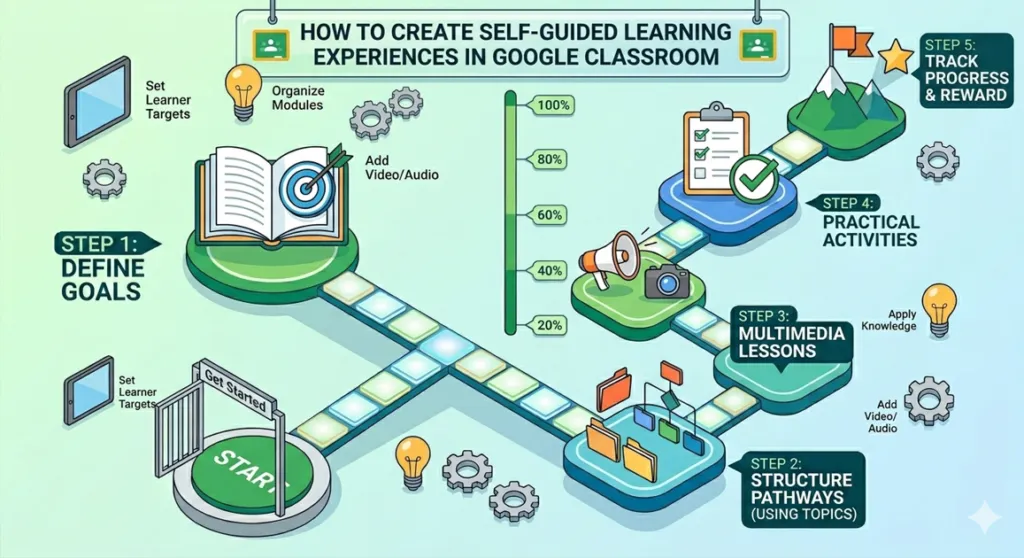
Step-by-Step Guide to Create Self-Guided Learning Experiences in Google Classroom
Step 1: Define Clear Learning Outcomes
Every strong course starts with clear goals. Learning outcomes define what students should achieve after completing the course.
Examples:
- Understand basic concepts
- Apply knowledge in practical tasks
- Develop independent learning skills
You can also explore instructional planning here:
https://theeduassist.com/learning-outcomes-guide
Step 2: Understand Your Learners
Before designing content, analyze your audience:
- Skill level
- Learning preferences
- Challenges they face
This ensures your self-guided learning experiences in Google Classroom match learner needs.
Step 3: Organize Content into Structured Topics
Use Topics in Google Classroom to create a logical flow:
- Start Here
- Start with Fundamentals (Module 1)
- Move into Practical Application (Module 2)
- Finish with Assessment (Module 3)
- Final Project
This structure improves navigation and reduces confusion.
Step 4: Create a Strong “Start Here” Section
This section is critical for onboarding learners.
Include:
- Course introduction
- Instructions
- Learning roadmap
- Expected outcomes
As a result, students understand how to begin without confusion.
Step 5: Use Consistent Lesson Structure
Each lesson should follow a predictable format:
- Objective
- Explanation
- Example
- Activity
Consistency improves understanding and reduces cognitive load.
Step 6: Add Multimedia Learning Resources
To improve engagement, include different formats:
- Videos from YouTube
- Slides and presentations
- Downloadable worksheets
This makes learning more interactive and effective.
Learn more here:
https://theeduassist.com/content-creation-guide
Step 7: Create Practical Assignments
Assignments should focus on real application, not just theory.
They should:
- Be simple and clear
- Include real-world tasks
- Encourage critical thinking
This improves knowledge retention and engagement.
Step 8: Add Progress Tracking System
A progress tracking system is essential for self-guided learning experiences in Google Classroom.
It helps students:
- Track completed modules
- Monitor pending tasks
- Stay motivated
Progress system example:
- Module completion checklist
- Weekly milestones
- Self-assessment tasks
- Final review checklist
This increases accountability and learning consistency.
Progress Tracking Table for Students
| Module | Lesson Topic | Activity Type | Status |
|---|---|---|---|
| Module 1 | Introduction | Watch video + read notes | Not Started / Completed |
| Module 2 | Basics | Complete worksheet | Not Started / Completed |
| Module 3 | Practice | Submit assignment | Not Started / Completed |
| Module 4 | Assessment | Take quiz | Not Started / Completed |
| Final | Project Work | Submit final project | Not Started / Completed |
Benefits of Self-Guided Learning Experiences in Google Classroom
- Encourages independent learning
- Reduces instructor workload
- Improves course completion rates
- Supports flexible learning styles
- Builds long-term learner discipline
These benefits align with modern elearning trends 2026, which focus on personalization and flexibility.
How to Improve Student Experience
To enhance your course quality:
Avoid complex structures.
Avoid content overload
Break lessons into small sections.
Provide support materials
Include FAQs and examples.
This improves usability and learner satisfaction.
Common Mistakes to Avoid
Overloading content
Too much information reduces engagement.
Unclear instructions
Confuses learners and increases drop-off rates.
Poor structure
Makes navigation difficult and reduces completion rates.
Modern eLearning Trends 2026
To keep your course updated, follow these trends:
- Microlearning modules
- Mobile-first design
- AI-assisted learning systems
- Personalized learning paths
These trends are shaping modern digital education systems.
Advanced Optimization Tips
Use AI Tools
Tools like ChatGPT and Canva improve content creation efficiency.
Track Learner Progress
Monitor:
- Completion rates
- Assignment performance
Then improve weak areas.
Keep Content Updated
Regular updates ensure long-term relevance and engagement.
References
- https://edu.google.com/products/classroom/
- https://support.google.com/edu/classroom/
- https://www.edutopia.org/
- https://elearningindustry.com/
- https://ocw.mit.edu/
Conclusion
Creating self-guided learning experiences in Google Classroom requires structured planning, clear instructions, and learner-focused design.
When done correctly, it improves engagement, increases completion rates, and supports independent learning.
Therefore, focusing on instructional design principles is essential for building high-quality digital learning experiences.
Frequently Asked Questions (FAQs)
1. What are self-guided learning experiences in Google Classroom?
Self-guided learning experiences are structured learning systems where students learn independently using guided materials and instructions. Learners follow a step-by-step learning path without requiring constant teacher assistance.
2. How do I structure Google Classroom effectively?
An effective Google Classroom structure uses clear topics and well-organized modules. A consistent lesson format helps students navigate content easily and reduces confusion.
3. Why is structure important in self-paced learning?
Structure plays a key role in keeping learners organized. It helps them understand what to do next and improves both engagement and course completion rates.
4. Can beginners create self-guided courses?
Yes, beginners can easily create self-guided courses in Google Classroom. The platform is user-friendly and does not require advanced technical skills. With basic planning, anyone can design structured learning experiences.
5. How do I improve engagement in online courses?
Engagement can be improved by using a mix of videos, assignments, and interactive activities. These elements make learning more active and help maintain student motivation throughout the course.
6. What tools help in course creation?
Tools such as ChatGPT and Canva can significantly support course creation. They help in developing content, designing visuals, and improving overall course quality while saving time.
7. How do I reduce student drop-off rates?
Student drop-off rates can be reduced by keeping lessons short, simple, and well-structured. Clear instructions at each step help learners stay focused and complete the course.
8. What is the biggest mistake in course design?
The most common mistake in course design is a lack of clear structure. Confusing instructions and poorly organized content often lead to low engagement and poor learning outcomes.
Authored by: Laiba Ayaz