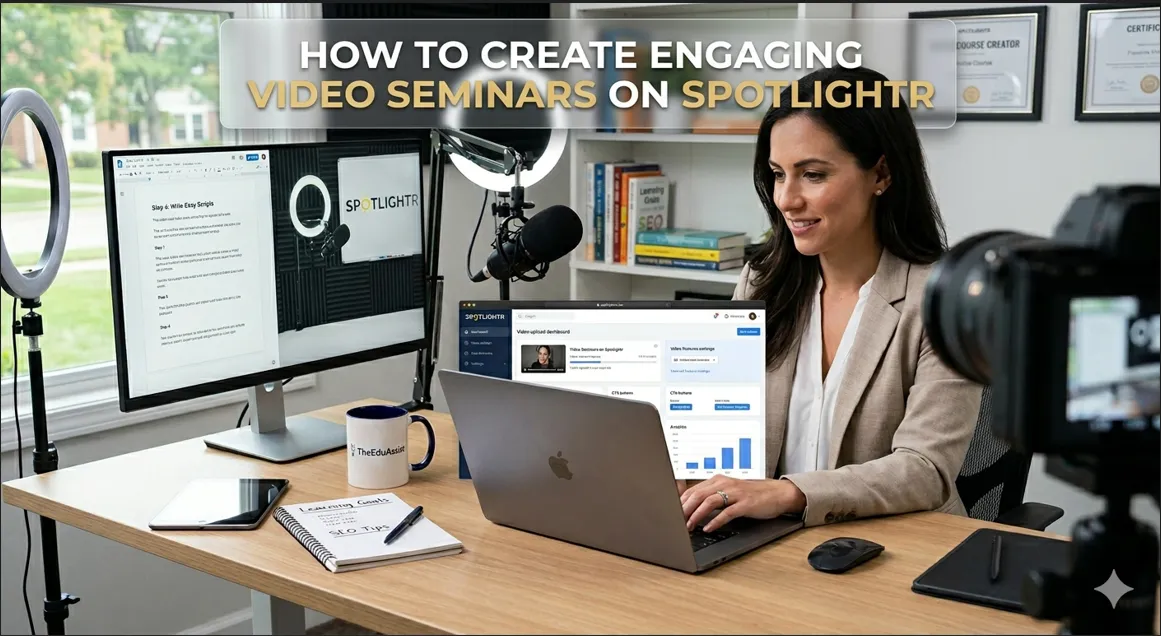
Video Seminars on Spotlightr are a powerful way to teach online. They help you create simple and engaging learning content.
However, many course creators struggle to keep students interested. So, you need a clear and easy method to improve your videos.
In this guide, you will learn step by step how to create better video seminars. You will also learn SEO tips, design ideas, and ways to improve user experience.
Why Video Seminars on Spotlightr Matter
Video seminars make learning easy. They help students understand topics faster.
Moreover, Spotlightr provides secure and smooth video hosting. This improves the overall experience.
Key Benefits
- Better student engagement
- Easy learning process
- Secure video hosting
- Smooth playback
- Higher completion rate
As a result, your course becomes more professional.
What is Spotlightr?
Spotlightr is a video hosting platform for online courses. It works well with tools like Kajabi and Skool.
It helps you manage videos in a simple and secure way.
Main Features
| Feature | Benefit |
|---|---|
| Secure hosting | Protects your content |
| Fast streaming | No delay |
| Custom player | Builds your brand |
| Analytics | Tracks performance |
| CTA tools | Improves engagement |
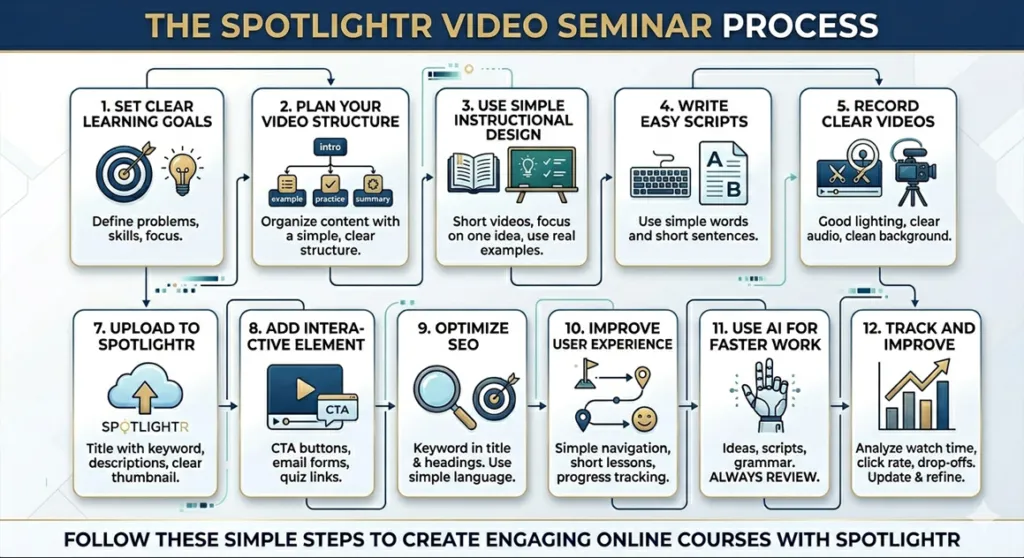
Step 1: Set Clear Learning Goals
First, decide what your students will learn. Keep your goal simple.
What to Define
- Problem to be solved
- Skills students will learn
- Outcomes they will achieve
This keeps your content focused.
Step 2: Plan Your Video Structure
Next, organize your content in a clear way.
Simple Structure
- Introduction
- Main lesson
- Example
- Practice
- Summary
This helps students follow each step easily.
Step 3: Use Simple Instructional Design
Instructional design means teaching in a clear way.
However, keep everything simple.
Tips for Better Learning
- Keep videos short
- Focus on one idea
- Use real examples
- Ask simple questions
Learn more: https://theeduassist.com/instructional-design-basics
Step 4: Write Easy Scripts
Write your script before recording.
Use simple words and short sentences.
Script Writing Tips
- Avoid hard words
- Keep sentences short
- Speak in a natural tone
Example:
“In this video, you will learn how to write a headline.”
Step 5: Record Clear Videos
Good quality is important. However, you do not need expensive tools.
Basic Setup
- Good lighting
- Clear audio
- Clean background
Tools You Can Use
- OBS Studio
- Loom
- Zoom
Step 6: Edit for Better Engagement
Editing improves your video quality.
However, do not add too many effects.
What to Add
- Text highlights
- Clean cuts
- Small zoom effects
This keeps videos clear and engaging.
Step 7: Upload Video Seminars on Spotlightr
Now upload your videos.
Steps to Follow
- Upload video
- Add keyword in title
- Write description
- Select thumbnail
SEO Tip
Use your focus keyword: Video Seminars on Spotlightr
Step 8: Add Interactive Elements
Engagement is very important.
Therefore, add interactive features.
Examples of Interactive Tools
- Call-to-action buttons
- Email forms
- Quiz links
This keeps users active.
Step 9: Optimize SEO for Video Seminars on Spotlightr
SEO helps your content rank on Google.
Best Practices
- Use keyword in title
- Add keyword in headings
- Use simple language
- Write short sentences
Ranking Keywords
- online video courses
- video course creation
- instructional design tips
- create online courses
- video marketing
Learn more: https://theeduassist.com/seo-writing-tips
Step 10: Improve User Experience
User experience is very important.
If your course is hard, users will leave.
UX Tips
- Simple navigation
- Short lessons
- Clear structure
- Progress tracking
Step 11: Use AI for Faster Work
AI tools can save time.
However, always review your content.
Use AI For
- Ideas
- Scripts
- Grammar
Step 12: Track and Improve
After publishing, check your results.
What to Track
- Watch time
- Click rate
- Drop-off points
How to Improve
- Update weak videos
- Shorten long parts
- Add better examples
Common Mistakes to Avoid
Avoid these mistakes to improve your course quality.
Mistakes
- Long videos
- No structure
- Hard words
- Poor audio
Keep everything simple and clear.
References
Conclusion
Video Seminars on Spotlightr can help you create strong and engaging online courses. They improve learning and keep students interested.
If you follow these simple steps, you can build better video content. Focus on SEO, user experience, and clear teaching for best results.
Frequently Ask Questions
What are video seminars on Spotlightr?
They are teaching videos hosted on Spotlightr. They help deliver lessons in a secure way.
Why should I use Spotlightr?
It offers secure hosting and smooth playback. It also improves engagement.
How long should video seminars be?
Keep videos short. Around 5 to 10 minutes works best.
Can AI help in video creation?
Yes, AI helps with ideas and scripts. However, you should review the content.
How can I improve engagement?
Use examples and questions. Also, add interactive features.
How to optimize SEO for video seminars?
Use keywords in headings. Keep content simple and clear.
Do I need expensive tools?
No, basic tools are enough. Focus on clear audio and video.
How can I track performance?
Use analytics tools. Check watch time and user behavior.
Authored by: Laiba Ayaz