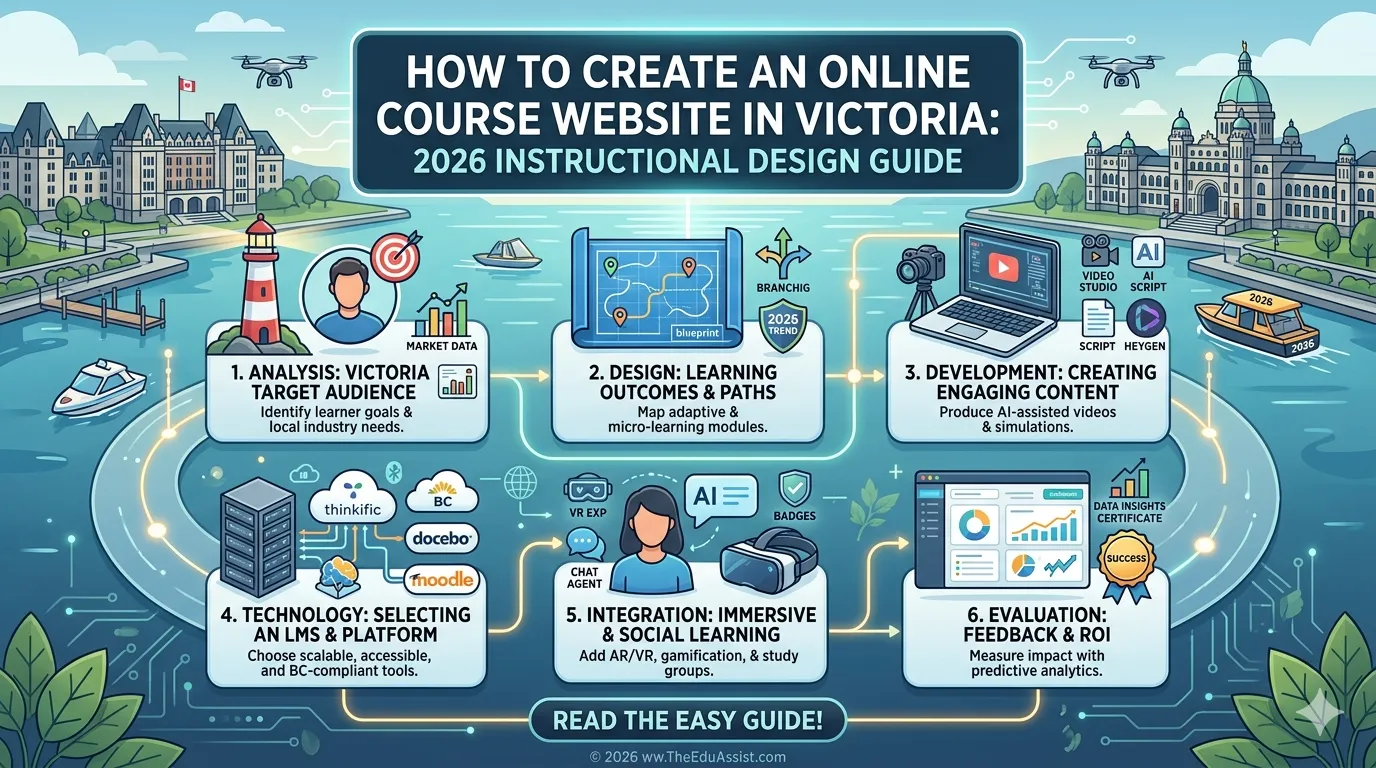
In 2026, building an online course is no longer just about creating content; it’s about creating a complete learning ecosystem.
Across Melbourne, Geelong, Ballarat, Bendigo, and Shepparton, educators, coaches, and EdTech startups are investing in online course websites to deliver structured learning experiences.
But here’s the problem many creators face:
- They have valuable curriculum content
- They need a website to host and deliver it
- But they struggle to combine instructional design, LMS functionality, and user experience
As a result, many course websites end up being:
- Visually appealing but poorly structured
- Content-heavy but not engaging
- Technically functional but not learner-friendly
To solve this, you need to approach course website creation as a blend of instructional design, content development, and platform strategy, not just web development.
This guide walks you through how to build a high-performing online course website in 2026.
Why Most Course Websites Fail (And What to Do Instead)
Many creators treat their course website like a simple content hub.
They focus on:
- Uploading videos
- Adding modules
- Designing pages
But ignore:
- Learner journey
- Engagement strategy
- Course structure
According to eLearning trends 2026, successful course platforms are those that:
- Guide learners step-by-step
- Integrate interactive elements
- Provide structured learning paths
Without this, even high-quality content fails to deliver results.
The Core Challenge: Aligning Content + Technology + UX
Creating a course website involves three critical layers:
1. Instructional Design
- Structuring the curriculum
- Defining learning outcomes
- Organizing modules
2. Technology (LMS/CMS)
- Hosting content
- Tracking learners
- Managing access
3. User Experience (UX)
- Navigation
- Ease of use
- Engagement flow
Most creators excel at one; but struggle to align all three.
Step 1: Start With a Structured Curriculum (Not the Website)
Before building your site, finalize your curriculum development.
Ask:
- What should learners achieve?
- What modules are required?
- How will knowledge progress?
Example structure:
| Module | Focus |
|---|---|
| Module 1 | Introduction |
| Module 2 | Core concepts |
| Module 3 | Practical application |
| Module 4 | Advanced topics |
| Module 5 | Final project |
This ensures your website is built around learning outcomes — not just content uploads.
Step 2: Choose the Right Platform (LMS vs CMS)
You have two main options:
LMS Platforms (Recommended for Most Creators)
- Kajabi
- Thinkific
- Teachable
CMS + LMS Hybrid
- WordPress + LearnDash
LMS platforms are ideal if you want:
- Faster setup
- Built-in course management
- Minimal technical complexity
CMS solutions are better if you need:
- Full customization
- Advanced integrations
- Complex websites
Step 3: Design the Learning Experience (UX Matters More Than Design)
A common mistake is focusing on visual design over usability.
Instead, prioritize:
- Simple navigation
- Clear module progression
- Intuitive dashboards
- Mobile-friendly layouts
For example, a learner in Melbourne should be able to:
- Log in
- Find their course
- Continue where they left off
without confusion.
Good UX directly impacts:
- Course completion rates
- Learner satisfaction
- Retention
Step 4: Create Interactive and Engaging Content
Avoid static content like:
- Long videos
- Plain slides
Instead, include:
- Quizzes
- Assignments
- Scenario-based learning
- Downloadable resources
Tools like:
- Articulate Storyline
- Articulate Rise 360
help create interactive, learner-friendly experiences.
This is a core part of custom eLearning and modern content development strategies.
Step 5: Organize Content for Microlearning
Break your course into:
- Short lessons (5–10 minutes)
- Focused topics
- Clear progression
This aligns with microlearning principles and improves engagement.
For learners in Geelong or Ballarat, this makes courses easier to consume and complete.
Step 6: Set Up Tracking and Analytics
A strong course website should track:
- Learner progress
- Completion rates
- Quiz performance
Most LMS platforms provide built-in analytics.
This data helps you:
- Improve weak modules
- Optimize content
- Enhance learner outcomes
Step 7: Plan for Scalability and Maintenance
Your website should be built for growth.
Consider:
- Adding new courses
- Updating content
- Scaling users
This is where project management and structured systems become critical.
Quick Comparison Table: Platform Options
| Platform | Best For | Key Advantage |
|---|---|---|
| Kajabi | Course businesses | All-in-one solution |
| Thinkific | Educators | Flexible design |
| LearnDash | Developers | Full control |
Cost Reality Check: Building a Course Website
| Category | Estimated Cost |
|---|---|
| Instructional design | $2,000 – $6,000 |
| Website development | $1,500 – $5,000 |
| Content development | $500 – $2,000 |
| LMS subscription | $39 – $199/month |
While DIY setups are possible, investing in professional consulting services often ensures better outcomes and faster execution.
Unique Perspective: Your Website Is a Learning System and Not Just a Platform
In 2026, successful course websites are not just websites; they are learning systems.
They combine:
- Structured curriculum
- Engaging content
- Seamless UX
- Scalable technology
This is the foundation of modern L&D and eLearning businesses.
Final Thoughts
For creators in Melbourne, Geelong, Ballarat, Bendigo, and Shepparton, building an online course website is a major opportunity, but also a complex challenge.
Success depends on aligning:
- Instructional design
- LMS technology
- User experience
- Content strategy
Platforms like theeduassist.com support creators through edu-assist consulting services, helping build custom eLearning ecosystems that are scalable, engaging, and results-driven.
References
- https://courses.melbourneinnovation.com.au/course/how-to-start-and-sell-an-online-course
- https://pmc.ncbi.nlm.nih.gov/articles/PMC1492389/
FAQs
What is the best platform for creating an online course website?
Platforms like Kajabi and Thinkific are ideal for most creators.
Do I need coding skills to build a course website?
No, most LMS platforms allow you to create websites without coding.
How long does it take to build a course website?
It typically takes 2–6 weeks, depending on complexity and content readiness.
What makes a course website successful?
A successful site combines instructional design, UX, interactivity, and structured content delivery.
How can TheEduAssist help build a course website?
Through consulting services and custom eLearning solutions, theeduassist.com helps design structured course platforms with strong UX and scalable LMS integration.
Authored By: Sofia Arif