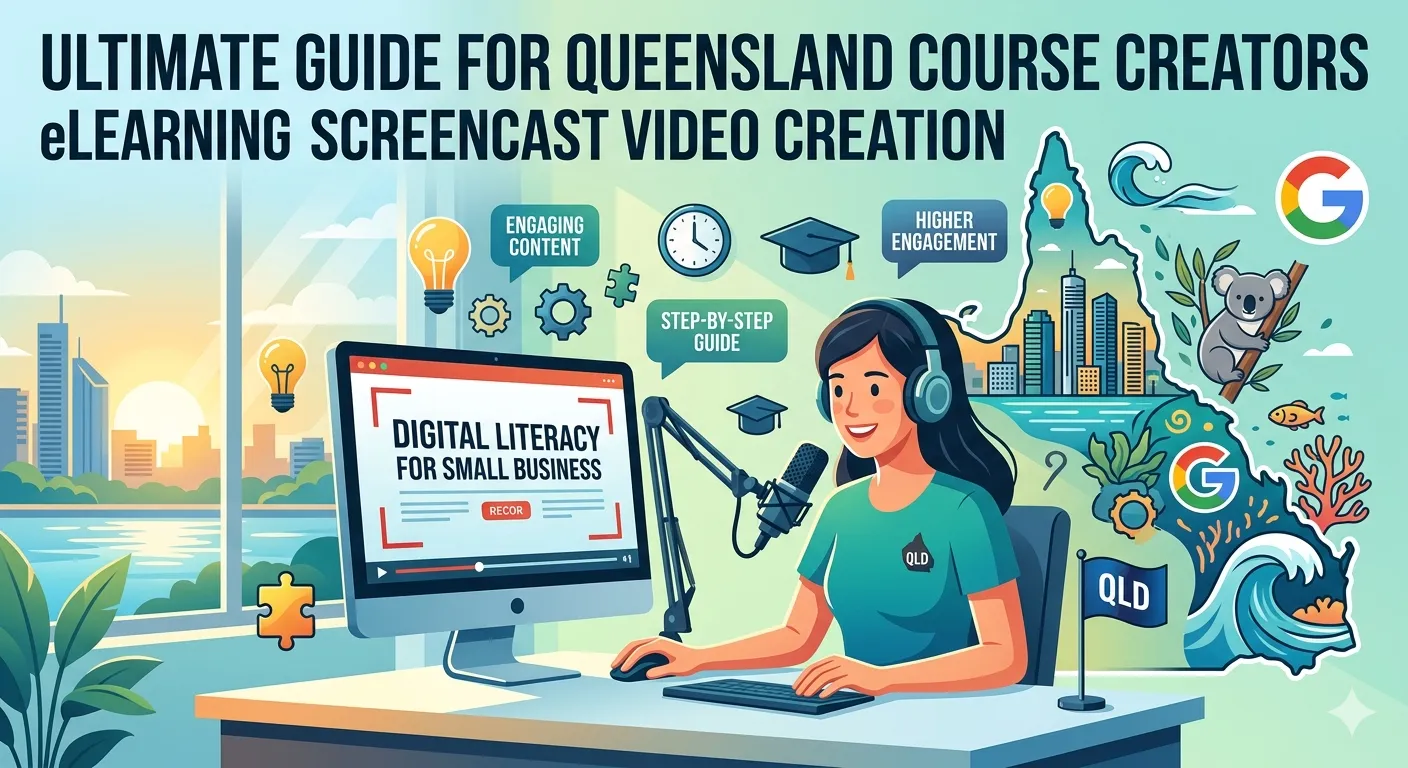
Digital education has expanded rapidly across industries, from professional certification programs to technical training courses. In regions like Brisbane and Gold Coast, many educators, training companies, and EdTech startups are converting their expertise into scalable eLearning programs.
Among the most effective formats for technical training is the screencast video. Screencasts allow instructors to record their screen while explaining software tools, workflows, or digital processes step by step.
Why Screencast-Based Learning Is Growing Rapidly:
Screencast-based learning is especially valuable for courses covering:
- Cloud storage platforms
- Productivity tools
- Business software
- Data analysis tools
- Technical tutorials
For example, courses explaining tools like Microsoft OneDrive, Google Drive, and Dropbox often rely heavily on screencast demonstrations.
However, producing high-quality screencast lessons requires more than simply recording a screen. Successful course creators combine instructional design, scripting, and professional video production techniques to ensure their lessons remain clear and engaging.
The Challenge of Producing Professional Screencast Lessons
Many organizations looking to develop technical training programs often search for freelancers capable of producing 1–2 hour screencast-based courses.
Typical project requirements may include:
- Creating a course outline before recording
- Structuring lessons using instructional design principles
- Producing multiple screencast lessons per day
- Recording clear audio explanations
- Editing videos for clarity and pacing
While this workflow may appear straightforward, several challenges frequently arise during course production.
Creators must ensure that their lessons are:
- Logically structured
- Visually clear
- Paced appropriately for learners
- Aligned with learning outcomes
Without these elements, even well-recorded tutorials may struggle to deliver effective learning results.
Why Many Screencast Courses Fail to Engage Learners:
Despite the popularity of screencast tutorials, many courses fail to achieve high learner engagement or completion rates.
Several common issues contribute to this problem.
Lack of Structured Lesson Planning
Recording software demonstrations without a defined outline can lead to confusing explanations and disorganized lessons.
Professional courses typically begin with clear learning objectives and a structured outline.
Overly Long Demonstrations
Long recordings without segmentation can overwhelm learners. Effective courses divide content into shorter modules or lessons.
Poor Audio and Visual Clarity
Technical tutorials depend heavily on visual clarity. If screen text is difficult to read or audio explanations are unclear, learners may disengage quickly.
Limited Instructional Design
Simply demonstrating software features is not always enough. Effective courses guide learners through progressive skill development.
The Role of Instructional Design in Screencast Courses:
Strong instructional design ensures that screencast lessons are not just demonstrations but structured learning experiences.
Course developers often use frameworks from the field of Instructional Design to organize their content.
These frameworks help creators:
- Define learning objectives
- Organize content logically
- Create practice opportunities
- Reinforce key concepts
By combining technical demonstrations with structured teaching strategies, course creators can significantly improve learner engagement.
Best Practices for eLearning Screencast Video Creation:
Professional course creators typically follow several best practices when producing screencast training programs.
Start with a Detailed Course Outline
Before recording any video lessons, create a structured outline that defines:
- Course goals
- Lesson sequence
- Key demonstrations
- Practical exercises
Many course developers now use tools like ChatGPT to assist with generating initial course outlines or lesson scripts. However, outlines should always be reviewed and refined to ensure they align with real learning objectives.
Break Courses into Microlearning Lessons
One of the most effective approaches in modern eLearning is microlearning. Instead of recording a single long tutorial, successful courses break content into short lessons (5–10 minutes) focused on a specific skill or concept.
Example structure for a cloud storage course:
| Lesson | Topic |
|---|---|
| Lesson 1 | Introduction to cloud storage concepts |
| Lesson 2 | Navigating the OneDrive interface |
| Lesson 3 | Uploading and organizing files |
| Lesson 4 | Sharing and collaboration features |
| Lesson 5 | Security and storage management |
This modular structure makes courses easier for learners to complete.
Maintain High Screen Recording Quality
For screencast courses, visual clarity is essential.
Creators should ensure:
- Screen resolution is at least 1080p
- Text and menus are clearly visible
- Cursor movements are easy to follow
Screen recording tools commonly used for professional training include Camtasia and OBS Studio.
These tools allow creators to record screens, edit videos, and add annotations or highlights.
Write Clear Instructional Scripts
Many successful course creators script their explanations before recording.
A simple scripting process includes:
- Defining the lesson objective
- Outlining the demonstration steps
- Writing short explanations for each step
Scripts help instructors maintain clarity and reduce unnecessary pauses or repetition.
Edit Videos for Clarity and Engagement
After recording, videos should be edited to improve pacing and clarity.
Common editing improvements include:
- Removing mistakes or pauses
- Zooming into important screen areas
- Adding text highlights
- Inserting chapter markers
These techniques help learners focus on the most important parts of the lesson.
Quick Comparison: Amateur vs Professional Screencast Courses
| Factor | Amateur Screencast | Professional Screencast |
|---|---|---|
| Course Structure | Minimal planning | Instructional design framework |
| Lesson Length | Long recordings | Microlearning modules |
| Screen Clarity | Basic capture | High-resolution recording |
| Editing Quality | Minimal editing | Professional editing and annotations |
| Learning Outcomes | Inconsistent | Structured skill development |
This difference highlights why many organizations prefer working with experienced eLearning content creators.
Cost Reality Check: Producing Professional Screencast Courses
Developing high-quality screencast training programs involves several potential costs.
Typical investments include:
- Instructional design consulting services
- Screen recording software
- Professional video editing
- Scripting and curriculum development
While some course creators manage production independently, others collaborate with specialists offering custom elearning development services.
Although this may increase the initial investment, it often improves course quality and reduces production errors.
Step-by-Step Workflow for Screencast Course Creation:
Course creators in Queensland can follow a structured workflow when producing screencast-based training programs.
Step 1: Define course learning objectives
Identify the skills learners should gain.
Step 2: Create a course outline
Organize lessons into logical modules.
Step 3: Write lesson scripts
Plan demonstrations and explanations.
Step 4: Record screencast lessons
Use high-resolution recording tools and clear audio.
Step 5: Edit and refine videos
Add annotations, highlights, and chapter markers.
Summing Up:
Screencast tutorials remain one of the most powerful formats for teaching technical skills online. For course creators in Queensland—including those operating in Brisbane and Gold Coast—developing high-quality screencast courses can open new opportunities in professional training and digital education.
However, successful courses require more than screen recordings alone. By combining instructional design principles, structured lesson planning, and professional video editing techniques, creators can transform technical knowledge into engaging learning experiences.
Whether working independently or collaborating with specialists offering custom elearning development services, course creators who follow these best practices are more likely to produce courses that deliver meaningful learning outcomes.
References:
- https://filmora.wondershare.net/filmora-video-editor.html?gad_source=1&gad_campaignid=312325690&gbraid=0AAAAADqc_oZBVn4p7Ek_a1uPBdkH6n96J&gclid=CjwKCAjwvqjOBhAGEiwAngeQnZEL9TXXZmE-zxhsI6tuVm0jQDRZDTDk4FYHz-CvXdoo8vj257jrERoC-fcQAvD_BwE
- https://obsproject.com/
- https://atomisystems.com/elearning/top-4-tools-to-create-video-based-elearning-courses/
Frequently Asked Questions:
- What is a screencast video in eLearning?
A screencast video records a computer screen while an instructor explains a process or demonstrates software tools. - Which tools are commonly used to create screencast lessons?
Popular tools include Camtasia, OBS Studio, and other screen recording platforms. - How long should screencast lessons be?
Most effective lessons are between 5 and 10 minutes, allowing learners to absorb information gradually. - Do screencast courses require instructional design?
Yes. Applying instructional design frameworks helps structure lessons and improves learning outcomes. - Can screencast courses include interactive elements?
Yes. Courses can include quizzes, exercises, downloadable resources, and practical assignments to enhance learner engagement.
Authored By: Sofia Arif