- What is instructional design?
- What Are InDesign Videos?
- How They Work Best Together
- Simple Instructional design using syntax, videos, and InDesign workbooks
- Using Synthesia Videos for Clear and Effective Instructional Design
- Key Elements of an Effective InDesign Workbook
- How to Sync Them Properly
- A 3-Module Structure to Be Clear
- Keep Language Friendly, Not Technical
- Designing InDesign Workbooks for Clarity and Ease of Learning
- Lead Students, Do Not Test Them Too Soon
- Measure What Matters
- Why This Approach Works
- Final Thought
- Call to Action – EduAssist
- Frequently Asked Questions
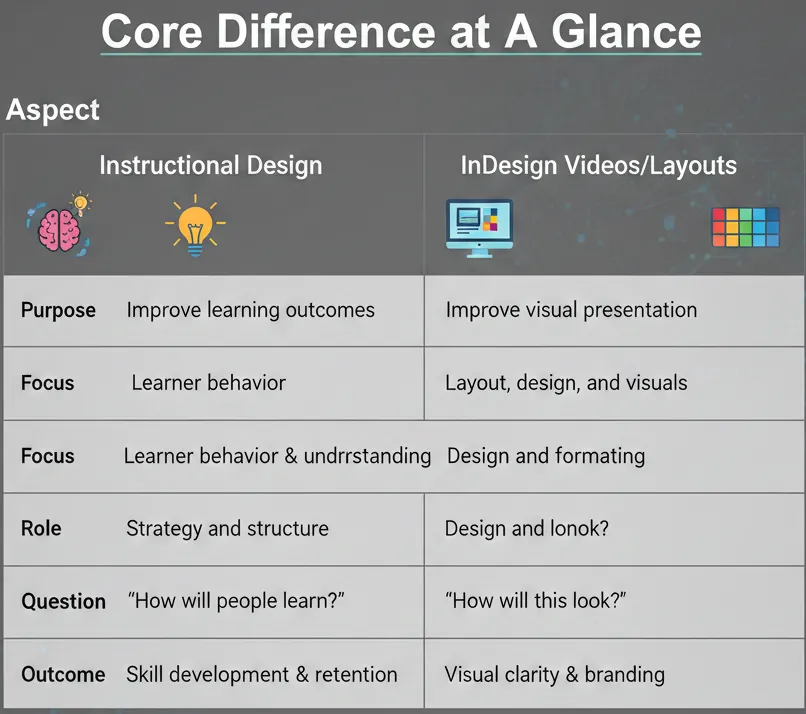
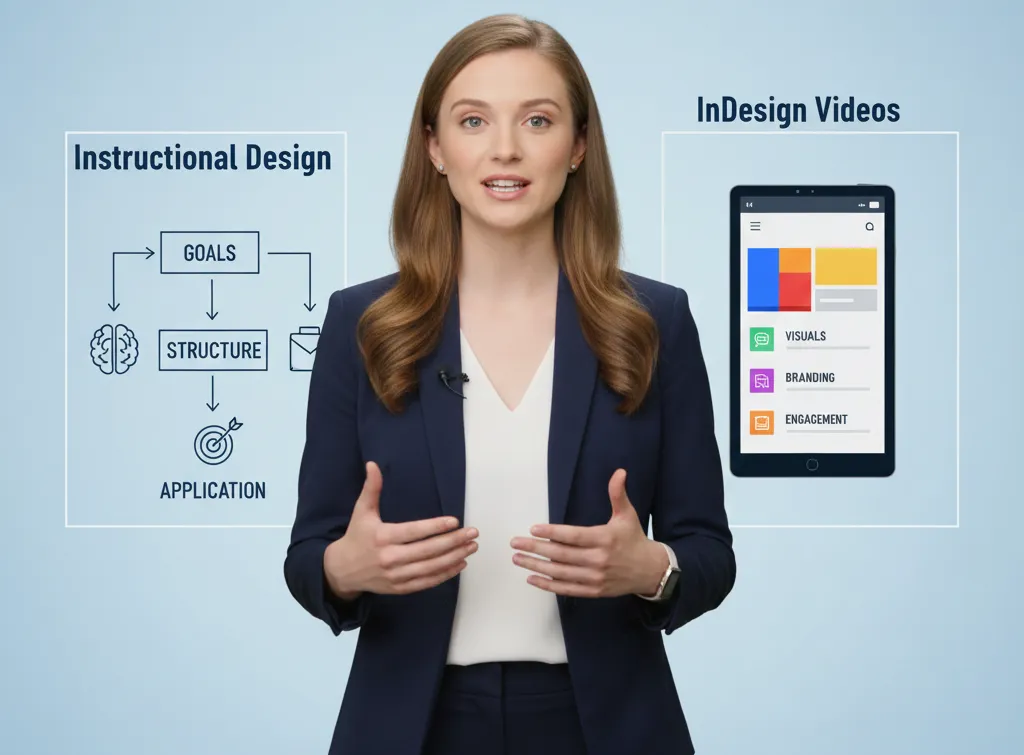
What is instructional design?
Learning planning and strategy are essential components of instructional design.
It focuses on:
- What learners need to learn
- How will they learn it?
- How success will be measured
What Are InDesign Videos?
Videos or other visual learning materials produced or enabled by design software (such as Adobe InDesign layouts, animations, or video-exported material) are typically referred to as InDesign videos.
They focus on:
- Visual presentation
- Layout and formatting
- Uniformity of branding and design
InDesign is not a learning strategy but a design tool in itself.
How They Work Best Together
The most powerful training involves the combination of both:
The choice of instructional design would determine:
- What to teach
- In what order
- How learners will practice
InDesign videos and visuals:
- Make learning clearer
- Improve engagement
- Support understanding
They combine to produce learning that is explicit, systematic, and interactive.
Simple Instructional design using syntax, videos, and InDesign workbooks
The majority of training is a failure due to a single reason:
It has a nice appearance, but it is not instructive.
The extensive videos, voluminous slides, and lack of practice make the learners puzzled and inactive. The new way of instruction design is not putting more content in it, but to make learning as simple, clear, and usable as possible.
It is just the point at which Synthesia videos and InDesign workbooks complement each other.
This guide is divided into the steps of creating effective training, and the tips presented in it can be applied to practice right now.
Using Synthesia Videos for Clear and Effective Instructional Design
Synthesia will enable you to make professional videos presented by AI without cameras, actors, and studios. But it is not the avatar that is powerful, but the way you make the message.
Synthesia Videos Best Practices
- Keep videos 3–5 minutes max.
- Be simple, conversational.
- Explain one idea at a time.
- Insert on-screen bullets when needed.
- Include a “What you will do next in every video.
Active Learning versus Passive Watching
Learning does not amount to watching.
Here is where InDesign workbooks come in.
Rather than lengthy PDFs, prepare brief and targeted workbooks that accompany every video.
Key Elements of an Effective InDesign Workbook
- Step-by-step exercises
- Checklists
- Reflection questions
- Space to write answers
- Real-world scenarios
Conceive Video and Workbook as a Unit, not as Individuals
The first error is the confusion of videos and workbooks as two distinct projects.
The one flow of learning they should experience.
How to Sync Them Properly
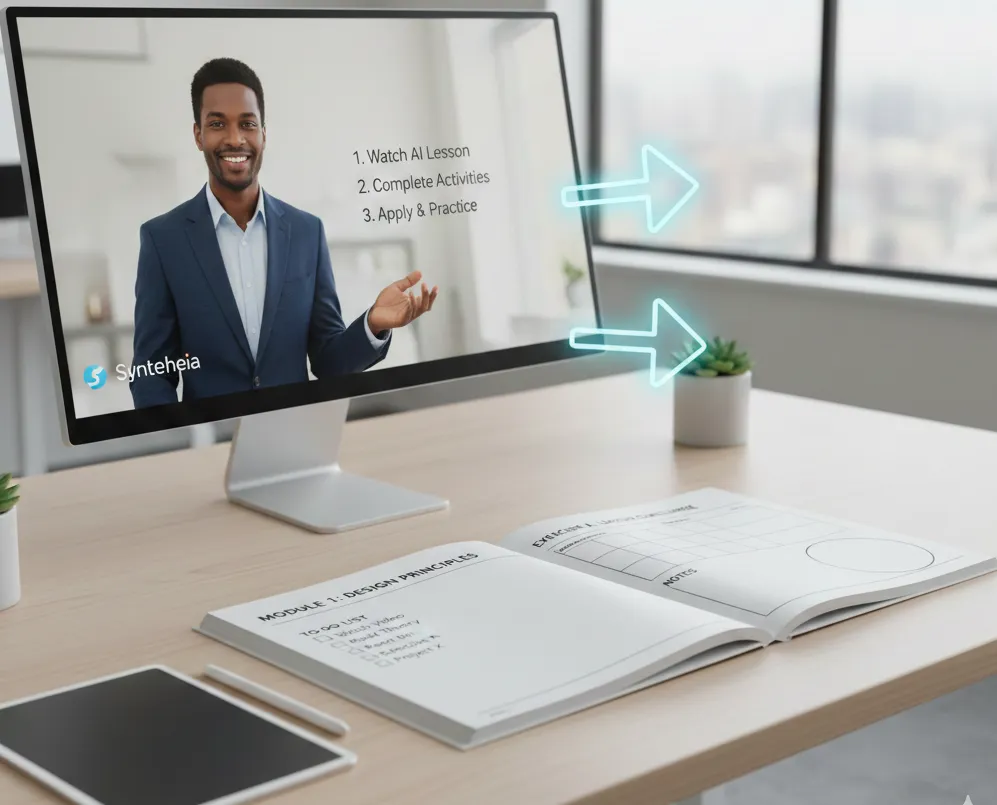
- Video tutorials: Workbook activities.
- The video indicates pages of the workbook.
- The workbook helps learners to revisit important moments.
Example:
Stop the video and do Exercise 2 on page 5.
This brings order, transparency, and trust.
A 3-Module Structure to Be Clear
Subdividing training into three distinct modules maintains the attention span of learners and minimises the drop-off.
Example Structure
Module 1: Basics
- What this is
- Why it matters
- Key concepts
Module 2: Process
- How it works
- Step-by-step guidance
- Common mistakes
Module 3: Application
- Real scenarios
- Practice tasks
- Best practices
Keep Language Friendly, Not Technical
The instruction design will be a failure when the content is expert-written and not learner-friendly.
Replace This:
Credential authentication is required by the users.
With This:
Use your email password to log in.
It is broken down to create trust and comprehension.
Designing InDesign Workbooks for Clarity and Ease of Learning
InDesign provides layout control to the fullest extent; however, clarity is more important than graphics.
Workbook Design Tips
- Use clean fonts
- Leave white space
- Avoid clutter
- Highlight key actions
- Keep pages scannable
Lead Students, Do Not Test Them Too Soon
Quizzes at the beginning of the course annoy the learners.
Instead:
- Teach first
- Practice second
- Test last
Practice, not pressure, use workbooks.
Measure What Matters
Views don’t equal learning.
Track:
- Completion rates
- Task success
- Workbook engagement
- Feedback comments
These demonstrate the effectiveness of your instruction design.
Why This Approach Works
- Learning is easily comprehensible and scaled with Synthesia videos.
- The InDesign workbooks are practical in learning and easy to remember.
- The two of them form structured, learner-oriented training.
It is instructional design that does not waste the time of the learner in fact, it enhances performance.
Final Thought
Good instruction design is not tool based.
It is about objectivity, organization, and practice.
You can make the process of learning easy when you combine clear Synthesia videos with professionally designed InDesign workbooks; simplicity is what learners will remember.
Call to Action – EduAssist
At EduAssist, we make the instructional design straightforward by using a combination of a clear learning strategy, AI-driven Synthesias videos, and professionally designed InDesign workbooks.
Should you desire training that is easy to comprehend, involving, and performance-oriented, then EduAssist will assist you in designing learning that will actually work.
Allow EduAssist to transform complicated concepts into easy-to-understand, structured learning processes.
Frequently Asked Questions
What is the difference in the instructional design approach at EduAssist?
We are clarity, structure, and practice-oriented, not just visual.
Do you apply AI technologies, such as Synthesia, in the development of training?
We do utilize Synthesia in order to produce easy-to-understand, scalable, and interactive instructional videos.
What are the reasons why InDesign workbooks are significant in training?
They assist learners in practicing, reflecting, and putting into practice what they learn.
Is EduAssist able to customize training to various industries?
Yes, our instructional design solutions are customizable to the full extent.
Who is EduAssist training targeted at?
We train corporate teams, educators, and learning platforms based on digital learning.