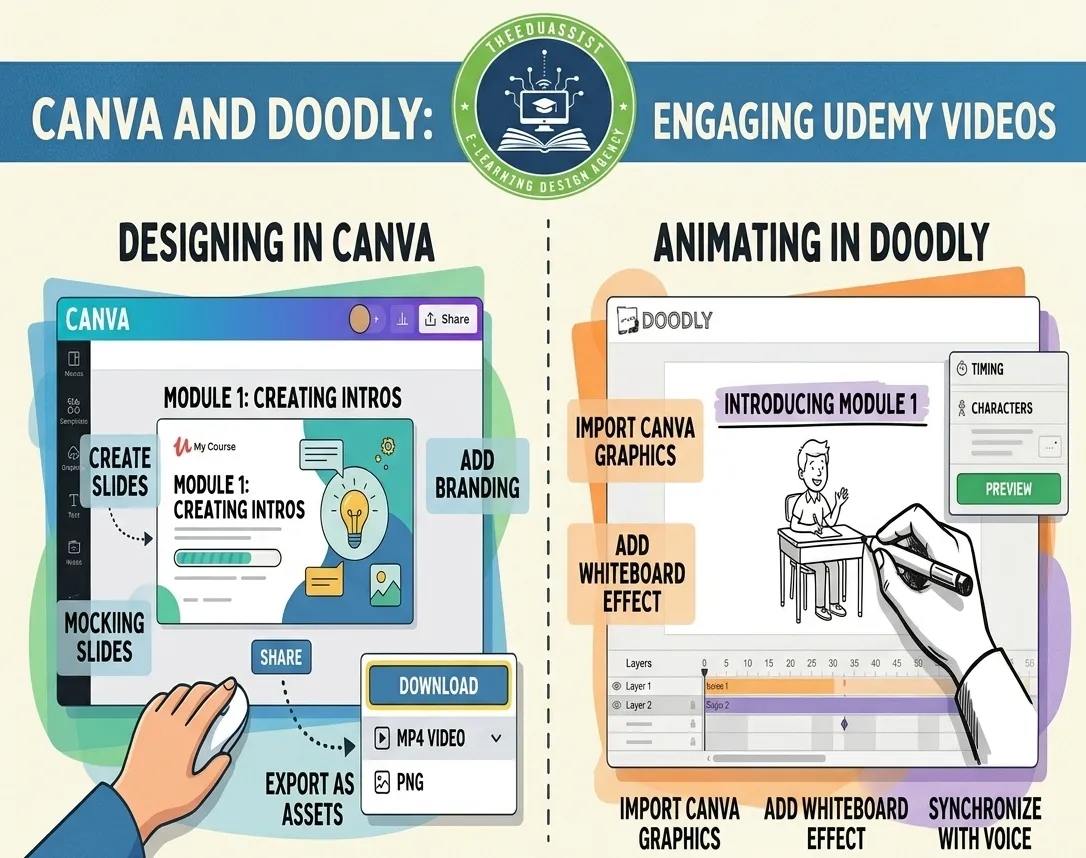
Expert in creating fun, interactive educational content beyond slides—using gamification, multimedia & active learning methods.
Table of Contents
- Introduction
- Why Static Slides Fail Modern Learners
- The Core Principles of Learner-Friendly Design
- Innovative Methodologies That Make Learning Fun
- Step-by-Step Process for Creating High-Quality Interactive Content
- Real-World Impact and Tools in Action
- Getting Started: Tips for Educators and Organizations
- Conclusion
- Frequently Asked Questions
Crafting Interactive Educational Content: Beyond Boring Slides in 2026
In today’s fast paced world, traditional power point presentations no longer cut it.
Learners in New York City’s bustling classrooms, remote students in London, or professionals upskilling in Tokyo demand experiences that are engaging, interactive, and genuinely fun.
As an Interactive Learning Designer, I specialize in transforming dull content into dynamic learning journeys that boost retention and motivation.
Gone are the days of passive scrolling. Today’s educational content must invite participation, spark curiosity, and deliver real results.
Why Statistic Slides Fail Modern Learners
Static Google Slides or PDF handouts create passive experiences. Research shows that interactive content dramatically increases student engagement compared to traditional lectures.
Learners retain information better when they actively participate rather than simply consume.
In a world flooded with distractions, attention spans are short. One-way delivery leads to disengagement and poor outcomes.
Consider a high school science class in New York. Instead of flipping through slides about ecosystems, students could explore a virtual simulation. They “build” a food web, make decisions, and instantly see consequences.
This shift from passive to active learning makes abstract concepts tangible and memorable.
Studies confirm that gamification and interactive elements can improve performance by up to 89% in some subjects compared to lecture-based methods.
The Core Principle of Learner-Friendly Design
Effective educational content starts with the learner at the center. Every module begins with clear learning objectives. These objectives show what the learner should be able to do differently afterward.
They must be specific, measurable, and relevant. For corporate training in Chicago, this might mean “Apply conflict resolution techniques in a simulated team meeting.”
Break material into short 5–10 minute segments. This respects cognitive load. Busy professionals in Dubai or parents in Sydney can learn on their own schedule without feeling overwhelmed.
Combine text, short videos, animations, infographics, and audio. A history lesson on the Industrial Revolution could include clickable timelines, archival footage, and voice-over narratives.
Tools like Canva or Genially make this accessible and visually appealing.
Design for diverse learners of different ages, abilities, and backgrounds. Add captions, alt text, adjustable reading speeds, and options for visual, auditory, or kinesthetic preferences.
Content should work seamlessly on mobile devices. This helps students commuting in Los Angeles traffic or rural learners with limited bandwidth.
Allow learners to choose their adventure. Adaptive pathways let advanced students skip basics while others receive extra support.
This hyper-personalization trend continues to grow rapidly in 2026.
Innovative Methodologies That Make Learning Fun
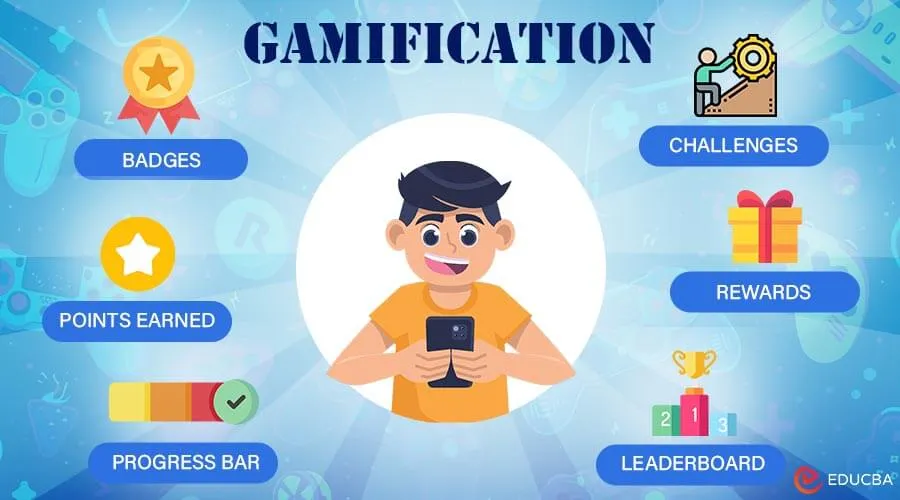
I draw from proven strategies to keep learners hooked. Add points, badges, leaderboards, and challenges through gamification.
A math module for middle schoolers in Toronto could turn fraction practice into a quest. Students “defeat” dragons by solving problems correctly.
Gamification boosts engagement significantly and increases knowledge retention.
Instead of memorizing facts, learners solve real-world problems with project-based and inquiry-based learning. Business students in Singapore might develop a marketing campaign for a fictional startup. They collaborate via shared digital workspaces.
Deliver core concepts through short, engaging videos or interactive readings beforehand with flipped classroom elements. Class or workshop time then focuses on application, discussion, and hands-on activities.
Place learners in realistic situations with scenario-based learning. Medical trainees in Boston could practice diagnosing virtual patients. They make choices that branch into different outcomes with immediate feedback.
Integrate polls, discussion forums, peer reviews, or group challenges for social and collaborative features. Tools like Padlet or Flipgrid allow students in different time zones to contribute video responses or ideas.
These methods align with 2026 trends. They emphasize active, learner-centered experiences over text-heavy materials.
Step-by-Step Process for Creating High-Quality Interactive Content
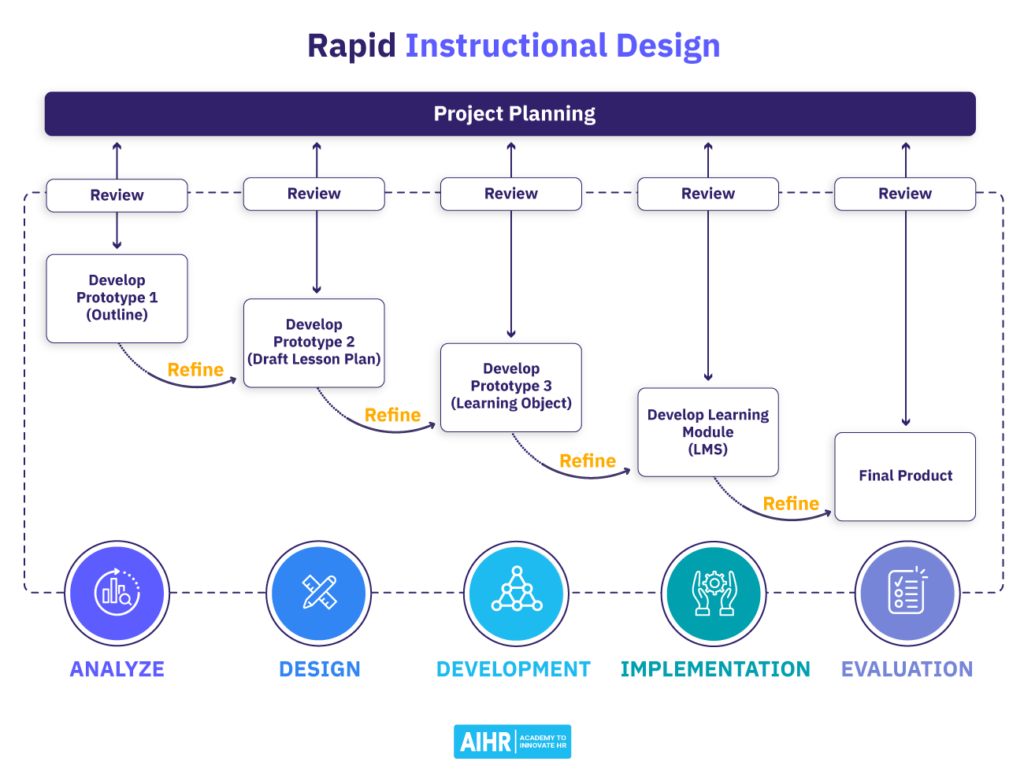
Here’s my proven workflow for creating high-quality interactive content.
First, conduct needs analysis. Meet with stakeholders to understand audience, goals, pain points, and platform requirements. What keeps learners in Mumbai awake at night? What outcomes matter most to a company in Berlin?
Next, do storyboarding and outlining. Map the entire learner journey. Identify hooks, interaction points, and assessment moments. Create branching scenarios where choices matter.
Then, focus on development with interactivity. Build using powerful no-code or low-code tools. Use Genially or Nearpod for drag-and-drop activities, embedded quizzes, and 360° images.
H5P works well for interactive videos and timelines. Kahoot!, Quizizz, or Pear Deck suit gamified assessments. Canva and Vyond create eye-catching visuals.
Mix formats for variety and avoid over-reliance on any single tool.
Embed formative assessments throughout for feedback loops. Immediate feedback helps learners correct mistakes and stay motivated.
Test with a small group during pilot testing and iteration. For example, teachers in a pilot program in Austin, Texas. Gather analytics on completion rates, drop-off points, and satisfaction. Refine based on real data.
Finally, handle deployment and support. Package for Learning Management Systems like Canvas, Moodle, or corporate platforms. Provide facilitator guides and easy update processes.
This structured yet creative process typically results in content that learners actually enjoy completing.
Real-World Impact and Tools in Action
In one project for a global nonprofit, I redesigned a leadership training program. I used branching scenarios and gamified challenges. Completion rates rose significantly. Participants reported higher confidence applying skills back on the job.
Popular platforms making this possible in 2026 include Genially, Nearpod, Articulate Rise, and iSpring Suite. Free or affordable options like H5P and Canva allow educators and small teams to create professional results without huge budgets.
Emerging trends such as AI-assisted personalization, virtual reality simulations, and purposeful interactivity are further expanding possibilities.
Getting Started: Tips for Educators and Organizations
Start small by converting one existing module into an interactive experience.
Focus on quality over quantity. Short, polished interactions beat long, mediocre ones.
Measure success beyond completion rates. Look at knowledge retention, skill application, and learner feedback.
Stay updated with communities and resources from organizations like ISTE or through 2026 edtech trend reports.
Whether you’re teaching in a physical classroom in Paris, delivering corporate training in Sydney, or creating online courses accessible worldwide, interactive design transforms education from a chore into an adventure.
Frequently Asked Questions
Q .What is interactive educational content?
Content that actively engages learners through quizzes, simulations, games, and branching scenarios instead of passive slides.
Q .Why move beyond Google Slides?
Static slides cause low engagement and poor retention. Interactive formats make learning more fun and effective.
Q .Which tools are best for interactive lessons?
Genially, Nearpod, H5P, Canva, Kahoot!, and Quizizz are popular and easy to use.
Q .How does gamification help learning?
It boosts motivation and retention by adding points, badges, and challenges.
Q .Is it suitable for all ages? Yes. It works for students, teachers, and professionals when adapted properly.
Q .How long does it take to create?
Simple modules take 4–8 hours. Full courses may take days or weeks.
Q .Do I need coding skills?
No. Many no-code tools let you build professional content easily.
Q .How do I measure success?
Track completion rates, quiz scores, feedback, and skill application.
Q .Where can I learn more?
Check r/edtech on Reddit and try free versions of Genially or H5P.
Conclusion
The future of education belongs to those who make learning active, enjoyable, and relevant.
By moving beyond static slides and embracing interactive methodologies, gamification, multimedia, and learner-centered design, we create experiences that stick.
Learners don’t just remember the content. They apply it with confidence and enthusiasm.
If you’re looking to elevate your educational materials, I’d love to collaborate. From initial needs analysis to final deployment, I help organizations and educators in cities like New York, London, Dubai, and beyond craft compelling, results-driven content.
Ready to make learning fun again? Let’s build something interactive together.
External Links
https://www.amplifai.com/blog/gamification-statistics