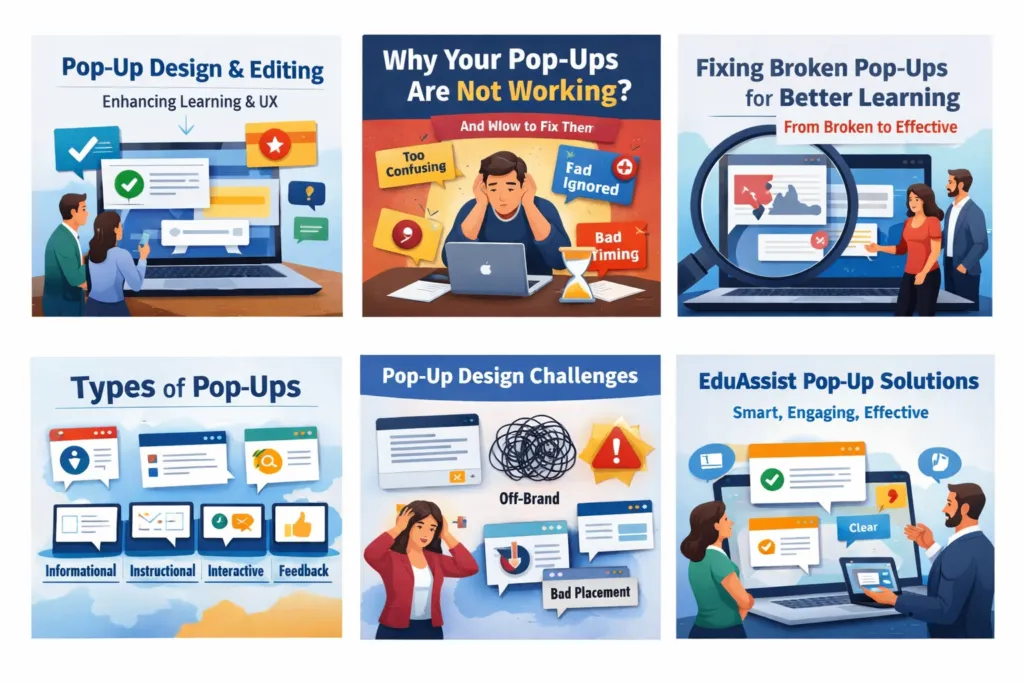
Find out how professional Pop-Up Design and Editing can enhance user engagement, learning, and digital experiences. Discover the importance of pop-ups, their various forms, common issues, and how EduAssist empowers companies to create meaningful and learner-centered experiences.
EduAssist Services / About EduAssist
Why This Little Component Warrants Large Profiles
Have you ever clicked a word for its meaning, received instant feedback on an online test, or found a brief instruction right when you needed it? That quick, timely, useful moment is the power of pop-up design.
The modern-day digital world does not require long explanations or lengthy pages from the user. They desire proper information when it is needed. It is there that pop-ups quietly come in and do the heavy lifting. They mentor, nurture, and teach when properly created. Poorly designed ones perplex, frustrate, or become neglected.
This is the reason why Pop-Up Design and Editing is an essential component of eLearning Solutions, company training ,Corporate Training Services, websites, and digital platforms- and why organizations have been seeking professionals such as EduAssist to do it with.
What Is a Pop-Up?
A pop-up is an aerial entity on the screen that is overlaid with already present material in order to represent a message, direction, or interaction, without redirecting the user from his or her current activity.
Pop-ups are designed to:
- Deliver real-time information.
- Guide users step by step.
- Reinforce learning
- Request unthinking actions or reactions.
The pop-ups are contextual, concentrated, and short, unlike full pages. When required, they come-and when the task is accomplished, they disappear.
User Experience (UX) Design – authoritative UX resource or Wikipedia
What Is Pop-Up Editing?
The art of pop-up editing involves pop-up editing and designing to make sure that it is:
- Clear and easy to understand
- Visually clean and on-brand
- In line with learning or business interests.
- Convenient and easy to navigate.
Editing goes beyond grammar. It includes:
- Breaking down complicated communication.
- Enhancing format and clarity.
- Changing the timing and location.
- Maintaining cross-platform consistency.
- Not leaving a lot of clutter to make things clearer.
In EduAssist Instructional Design Services, pop-up editing will make sure that every word, icon, and interaction has a purpose.
Applications of Pop-Up Design and Editing
Pop-ups are ubiquitous and usually are unnoticed, but are necessary.
In eLearning and Corporate Training
- Terminologies of technical terms.
- Scenario hints and tips
- Instant quiz feedback
- Safety instructions
- Knowledge reinforcement
Microlearning Concept Resource
On Digital Platforms and Websites
- Feature explanations
- Onboarding guidance
- Help and support messages
- Notifications and confirmations
- in the system.
Website Usability / Nielsen Norman Group
In Workplace Tools and Applications
- Process instructions
- Error alerts
- Decision prompts
- Performance feedback
Pop-ups are used wherever clarity is required by the users without interruption.
What is the Reason for Pop-up Design and Editing?
Since individuals do not read manuals and behave in the same manner.
Users today:
- Read superficially instead of meditatively.
- Like brief, pictorial descriptions.
- Prefer to learn by being interactive.
- Require assistance just in the time of action.
Pop-ups serve such needs by providing just-in-time information, not too early, not too late.
Without proper pop-up design:
- Learners feel lost
- Unnecessary errors are committed by users.
- Engagement drops
- Training does not become an action.
The importance of Pop-Up Design Like Never Before
Pop-ups might be small, yet their influence is great.
Well-designed pop-ups:
- Improve learning retention
- Reduce cognitive overload
- Increase user confidence
- Fostering microlearning strategies.
- Improve the general user experience.
They are used in bridging the gap between knowing and doing in corporate learning. In computer products, they lower the level of confusion and frustration.
This is why pop-up design is not a visual supplement, but it is a strategic and UX tool.
Cognitive Load Theory
Types of Pop-Ups
Knowledge of the types of pop-ups can be used to make them right.
Informational Pop-Ups
Rapid explanations, definitions, or explanations.
Instructional Pop-Ups
Progressive instructions in the course of tasks or learning activities.
Interactive Pop-Ups
Decision points or branching scenarios, or Quizzes.
[Internal Link – Interactive Learning & Branching Scenarios]
Feedback Pop-Ups
Immediate feedback on user actions, either in the form of correct, incorrect, or improvement recommendations.
Notification and Alert Pop-Ups
Notifications, alarms, assurances, or computer messages.
The types have their use and must be designed and edited carefully.
The Use of Pop-Up in Life
We live with the assistance of pop-ups:
- Learning new skills online
- Getting things right at the workplace.
- Browsing applications with ease.
- Making superior choices in a short period of time.
They also perform in learning environments as a silent coach- they lead without being excessive. At work, they avoid making mistakes even before they occur.
Significance and Impact of Efficient Pop-Up Design
In cases where pop-ups are implemented properly, they:
- Enhance interactions and involvement.
- Enhance the understanding and memory.
- Reduce learner frustration
- Support self-paced learning
- Enhance training results.
Badly implemented pop-ups, in turn, can:
- Interrupt learning flow
- Overload users with text
- Experience intrusion and irrelevance.
- Reduce trust in the system.
This is the reason why skilled design and editing are needed.
Difficulties in Pop-Up Design and Editing
There are numerous organizations that face challenges with pop-ups due to the following reasons:
- Excess information within a small space.
- Branding and tone inconsistency.
- Poor timing or placement
- Deficiency in the instructional plan.
- Accessibility issues
Web Accessibility Guidelines ,WCAG
The use of Pop-Up Design and Editing to Our Advantage
Pop-ups that are intelligently crafted:
- Lead users at the appropriate time.
- Explain complicated facts immediately.
- Learning reinforcement without repetition.
- Promote proper behavior and choices.
- Develop a more digital experience.
Avoiding misunderstanding, they convert into understanding and study into practice.
How Eduassist helps in Pop-Up Design and Editing
EduAssist knows that pop-ups are not merely design elements, but also learning moments.
Our approach combines:
- Knowledge and experience in Instructional Design to match pop-ups with the educational goals.
- Definitive, easy-to-understand content writing.
- UI/UX clean and easy-to-use design.
- Accurate and consistent quality assurance.
We help organizations:
- Create valuable non-distracting pop-ups.
- Revise the already existing pop-ups.
- Enhance engagement and retention of learners.
- Develop professional, scalable, and digital learning.
Custom eLearning Content Development
Quality Assurance & Testing
Pop-ups do not disrupt learning, but make it more effective with EduAssist.
Conclusion
Pop-Up Design and Editing can be considered a minor aspect of internet experiences, but it can have a significant impact on the way individuals study, communicate,and act.
Pop-ups, when strategically designed:
- Help users when they need it the most.
- Enhance the effectiveness and interest of learning.
- Transfer information to action.
At EduAssist, we hold the view that we should not underestimate the power of interactions, and pop-ups are among the most effective methods to make the process of learning meaningful.
Frequently Asked Questions
What is pop-up design in eLearning?
eLearning pop-up design provides immediate explanations or feedback, or guidance without interrupting the learning process.
What is the significance of pop-up editing?
Editing will make sure that pop-ups are transparent, succinct, and easy to find, as well as they meet the requirements of learning.
Are corporate training pop-ups a good idea?
Yes, professionally designed, they enhance the engagement, accuracy, and retention.
Are bad design pop-ups destructive to users?
Yes. Pop-ups that have been overused or those that are not clear can annoy users and become counterproductive.
Why did EduAssist design and edit the pop-up?
EduAssist combines instructional strategy, content expertise, and UX design to create pop-ups that truly support learning and performance.