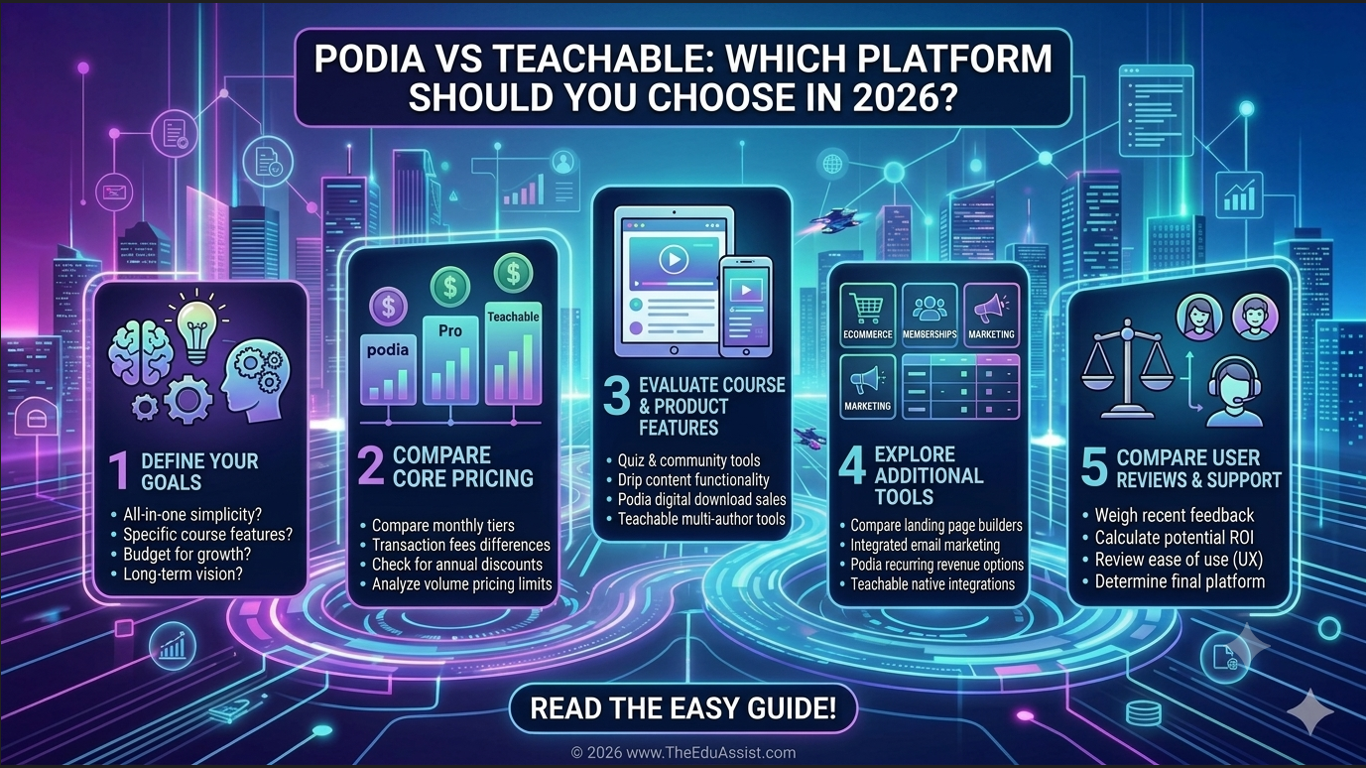
Choosing the right course platform can significantly impact your online business growth.
While both Podia and Teachable have established themselves as popular creator platforms, they serve slightly different audiences and business goals. The challenge for course creators, coaches, consultants, and digital entrepreneurs is determining which platform aligns best with their needs today and can continue supporting growth tomorrow.
The global eLearning market is expected to continue expanding rapidly through 2030, fueled by increasing demand for online education, creator-led businesses, and digital learning experiences. According to Grand View Research, the global eLearning market is projected to exceed $500 billion by 2030.
In this Podia vs Teachable comparison, we’ll examine features, pricing, usability, marketing capabilities, and business use cases to help you make an informed decision.
Quick Comparison Table
| Feature | Podia | Teachable |
|---|---|---|
| Ease of Use | Excellent | Very Good |
| Website Builder | Included | Limited |
| Email Marketing | Built-in | Available on higher plans |
| Coaching Features | Strong | Good |
| Course Creation | Strong | Excellent |
| Sales Funnels | Basic | Moderate |
| Community Features | Included | Available via add-ons |
| Customization | Moderate | Moderate |
| Best For | Beginners, Coaches, Digital Creators | Course Businesses, Educators |
| Starting Price | Lower Entry Cost | Higher Feature-Based Pricing |
Which Platform Is Easier for Beginners: Podia or Teachable?
For most first-time creators, Podia has a slight advantage.
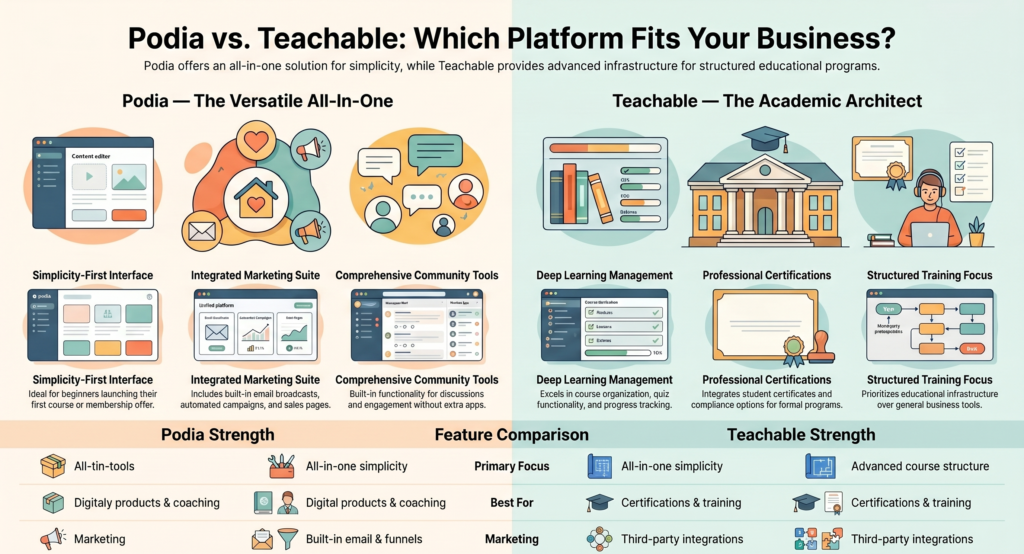
Podia focuses heavily on simplicity. Its interface allows users to create products, build landing pages, manage email campaigns, and launch courses without needing extensive technical skills.
Teachable is also beginner-friendly, but it tends to emphasize course management first and business infrastructure second.
For creators launching their first course, membership, or coaching offer, Podia often provides a gentler learning curve.
Further reading: Is Podia Good for Beginners?
Which Platform Offers Better Course Creation Tools?
Teachable traditionally excels in course creation.
Its strengths include:
- Structured course organization
- Quiz functionality
- Student progress tracking
- Course compliance options
- Certificate integrations
Podia offers:
- Course hosting
- Video lessons
- Downloads
- Drip content
- Bundles
Podia prioritizes simplicity over advanced learning management features.
Which Platform Is Better for Coaches and Consultants?
This is where Podia often shines.
Podia combines these tools under one dashboard:
- Sales pages
- Lead magnets
- Email marketing
- Community engagement
- Digital downloads
For coaches and consultants selling services alongside courses, Podia’s integrated approach reduces the need for additional software.
Which Platform Has Better Marketing Features?
Podia includes:
- Email broadcasts
- Automated campaigns
- Landing pages
- Sales pages
- Basic funnels
Teachable relies more on third-party integrations. Podia offers greater convenience for creators seeking an all-in-one platform.
Which Platform Has Better Community Features?
Podia includes built-in community functionality for discussions and member engagement. Teachable’s community features are not as strong.
Which Platform Offers Better Value for Money?
Podia generally provides better overall value because marketing and community features are included, reducing the need for extra tools.
Which Platform Is Better for Selling Digital Products?
Podia was built with digital product sales in mind (templates, ebooks, guides, downloads, memberships). Teachable is more focused on education-driven offers.
Which Platform Scales Better as Your Business Grows?
- Choose Teachable for structured training programs, certifications, and education-focused businesses.
- Choose Podia for multiple digital products, memberships, coaching programs, and internal email marketing.
Which Platform Should You Choose in 2026?
Choose Podia if you want:
- An all-in-one creator platform
- Coaching and consulting tools
- Built-in email marketing
- Membership functionality
- Digital product sales
- Simplicity and ease of use
Choose Teachable if you want:
- Advanced course creation
- Student progress tracking
- Educational structure
- Certification-focused learning
Cost Reality Check
Calculate your total business technology costs (email tools, funnels, community software, hosting, etc.) rather than just the platform subscription fee.
References
FAQs
Is Podia better than Teachable for beginners?
Yes. For most beginners, Podia offers a simpler experience and more built-in tools.
Is Teachable better for online courses?
Yes. Teachable provides more advanced course creation and student management features.
Which platform is cheaper?
Podia often provides better overall value due to included features.
Can coaches use Teachable?
Yes, but many prefer Podia for its integrated marketing and community tools.
Which platform should I choose in 2026?
Choose Podia for an all-in-one creator platform. Choose Teachable if your focus is structured online education.
Need Help Choosing the Right Course Platform?
Selecting between Podia and Teachable can have a lasting impact on your course business, marketing strategy, and long-term growth. While both platforms offer powerful tools, the right choice depends on your business model, audience, budget, and future goals.
At TheEduAssist, we help course creators, coaches, consultants, and training organizations evaluate platforms, design learning experiences, and build scalable digital businesses. Whether you’re launching your first online course, migrating from another platform, or planning a complete custom elearning ecosystem, our team can help you choose and implement the solution that best fits your needs.
Not sure whether Podia, Teachable, Kajabi, or another platform is the right fit? Contact TheEduAssist for expert guidance and personalized recommendations tailored to your business goals.
Authored By: Sofia Arif (https://www.linkedin.com/in/sofia-arif-47b5a0197/)