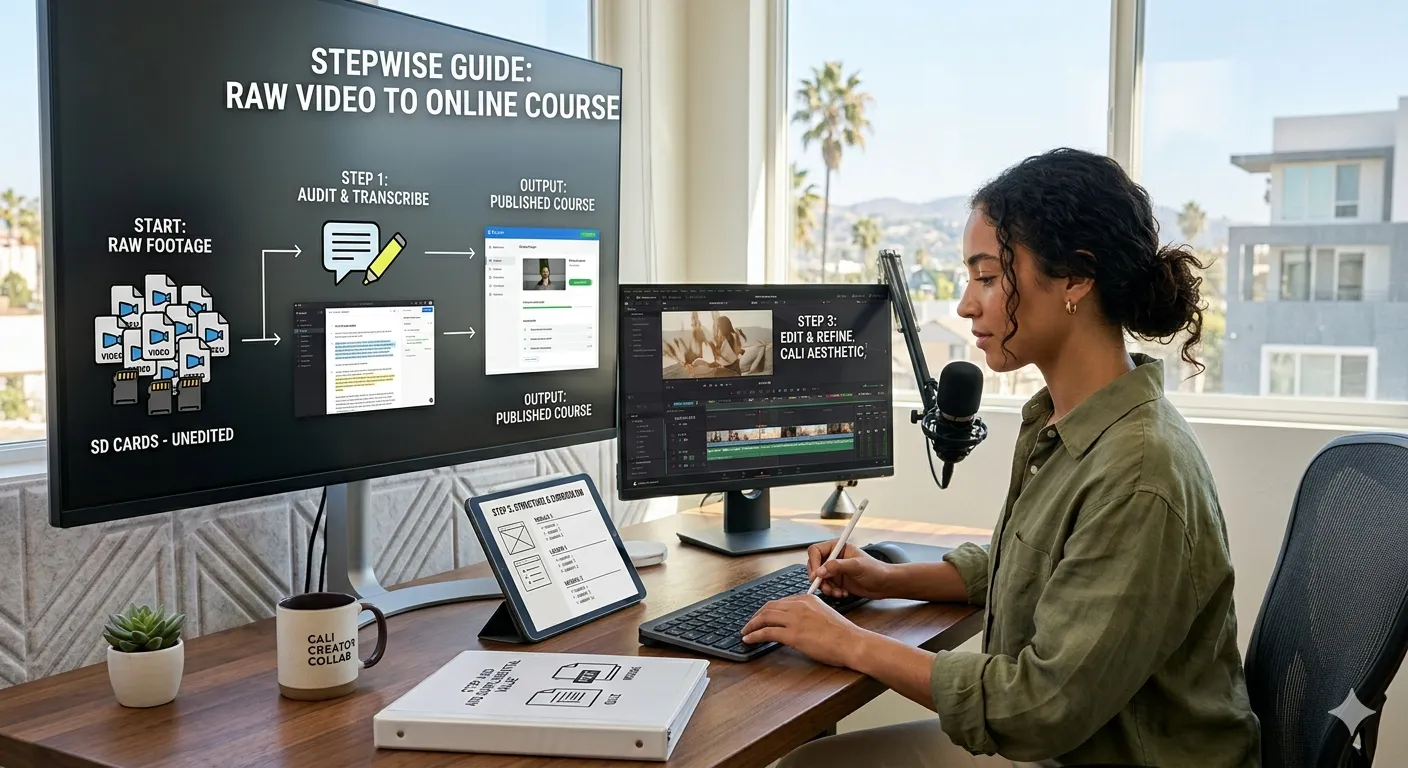
Many educators, coaches, and subject-matter experts record hours of valuable teaching material — webinars, workshops, Zoom sessions, or coaching calls. But converting those recordings into a structured online course often feels confusing. Let’s discuss how that can be done with ease.
Why Raw Videos Alone Are Not Enough:
Raw videos alone rarely translate into a successful digital learning program. Without proper instructional design, curriculum organization, and learner engagement strategies, students may struggle to follow the material.
This is a common challenge among course creators across California cities like Los Angeles, San Diego, San Jose, and San Francisco, where entrepreneurs are increasingly turning their expertise into digital education products.
The solution is not simply editing videos — it’s transforming them into a structured eLearning experience.
In this guide, we’ll explore a step-by-step framework for converting raw video recordings into a professional online course that engages learners and delivers measurable outcomes.
Step 1: Identify the Core Learning Outcome
Before editing videos, start by defining what learners should achieve by the end of the course.
For example:
Instead of saying:
“This course teaches marketing strategies.”
A better outcome would be:
“By the end of this course, learners will create and launch their first digital marketing campaign.”
This outcome-driven approach is a fundamental principle of instructional design and adult learning (andragogy).
Step 2: Audit and Organize Your Raw Video Content
Most creators have hours of recordings that include:
- Webinars
- Coaching sessions
- Training workshops
- Recorded presentations
Start by reviewing all videos and categorizing them.
Suggested course structure:
| Module | Content Type |
|---|---|
| Module 1 | Introduction and core concepts |
| Module 2 | Strategy framework |
| Module 3 | Tools and demonstrations |
| Module 4 | Implementation exercises |
| Module 5 | Case studies and applications |
This process transforms scattered recordings into a logical course journey.
Step 3: Break Videos Into Microlearning Lessons
Long recordings often overwhelm learners.
Instead of uploading full 60-minute videos, divide them into short microlearning segments.
Recommended lesson length:
- 5–10 minutes per video
- One concept per lesson
Microlearning improves learner engagement and completion rates.
Example breakdown of a one-hour webinar:
- Lesson 1: Course introduction
- Lesson 2: Core concept explanation
- Lesson 3: Framework overview
- Lesson 4: Demonstration
- Lesson 5: Key takeaways
Step 4: Enhance Videos With Educational Editing
Once videos are segmented, apply professional educational video editing.
Effective editing techniques include:
- Adding titles and lesson labels
- Highlighting key points with graphics
- Incorporating slides and diagrams
- Removing pauses and unnecessary sections
- Adding subtitles for accessibility
Tools like Canva, Articulate Storyline, and Articulate Rise 360 are frequently used to enhance course visuals and interactive elements.
Many creators also use AI video tools like HeyGen or Synthesia to generate additional learning content quickly.
Step 5: Add Exercises and Interactive Learning Elements
Courses that rely only on video often struggle with low completion rates.
To improve engagement, include additional learning components such as:
- Quizzes and knowledge checks
- Reflection worksheets
- Practice assignments
- Case studies
- Guided exercises
Interactive learning encourages students to apply concepts rather than just watch content.
Step 6: Upload the Course to an LMS Platform
After organizing the curriculum and editing videos, choose an LMS (Learning Management System) to host the course.
Popular options for course creators include:
- Kajabi – Ideal for coaches building full online education businesses
- Thinkific – Known for strong course creation features
- LearnDash – A WordPress-based LMS for customized learning platforms
These platforms support features like:
- Course modules and lesson organization
- Drip content scheduling
- Certificates and progress tracking
- Community discussions
- SCORM-compatible learning content
Quick Comparison of Popular LMS Platforms for Course Creators:
| Platform | Best For | Key Strength |
|---|---|---|
| Kajabi | Coaches & digital entrepreneurs | All-in-one course and marketing platform |
| Thinkific | Course creators focused on teaching | Flexible course design tools |
| LearnDash | Advanced LMS customization | WordPress-based learning platform |
Choosing the right platform depends on whether you prioritize course delivery, customization, or integrated business tools.
Cost Reality Check: Turning Raw Videos into a Professional Course
| Category | Estimated Cost |
|---|---|
| Video editing | $500 – $2,500 |
| Instructional design consulting | $1,500 – $5,000 |
| LMS platform subscription | $39 – $199 per month |
| Visual assets and course graphics | $200 – $1,000 |
Creators who invest in structured course development typically achieve better learner outcomes and higher course value.
How TheEduAssist Helps Turn Raw Content Into Professional Online Courses
Many experts have valuable educational recordings but struggle to convert them into structured digital learning programs.
TheEduAssist helps course creators, coaches, and EdTech startups with:
- Instructional design and curriculum development
- Custom eLearning content development
- Educational video editing and multimedia production
- Interactive learning module development
- LMS implementation and course setup
- Microlearning course design
These services help transform raw recordings into engaging, professionally structured online courses that learners can easily follow and complete.
Final Thoughts
Turning raw videos into a structured online course is not simply an editing project — it’s a process of designing an educational experience.
By applying instructional design principles, microlearning strategies, and interactive course elements, educators and coaches in Los Angeles, San Diego, San Jose, and San Francisco can transform existing recordings into valuable digital learning products.
The key is focusing on learner outcomes, clear curriculum structure, and engaging content formats. When these elements come together, raw recordings can evolve into high-impact online courses that scale knowledge to a global audience.
References:
- https://www.statista.com/topics/3115/e-learning-and-digital-education/
- https://www.coursebox.ai/blog/online-learning-statistics?utm
- https://worldmetrics.org/online-learning-growth-statistics/
- https://www.youtube.com/watch?v=AQolrA4cMfs
FAQs:
How do I turn recorded videos into an online course?
Start by defining learning outcomes, organizing recordings into modules, editing videos into microlearning lessons, and uploading the course to an LMS platform.
What is the best LMS for hosting video-based courses?
Popular options include Kajabi, Thinkific, and LearnDash, which allow creators to structure lessons, track student progress, and deliver interactive learning experiences.
How long should course videos be?
Most effective lessons are 5–10 minutes long, focusing on one concept at a time to maintain learner engagement.
Do online courses need exercises and quizzes?
Yes. Interactive learning elements such as quizzes, worksheets, and assignments improve knowledge retention and course completion rates.
How can TheEduAssist help convert videos into online courses?
TheEduAssist helps educators transform raw recordings into structured courses by providing instructional design, course development, multimedia editing, and LMS implementation services.
Authored By: Sofia Arif