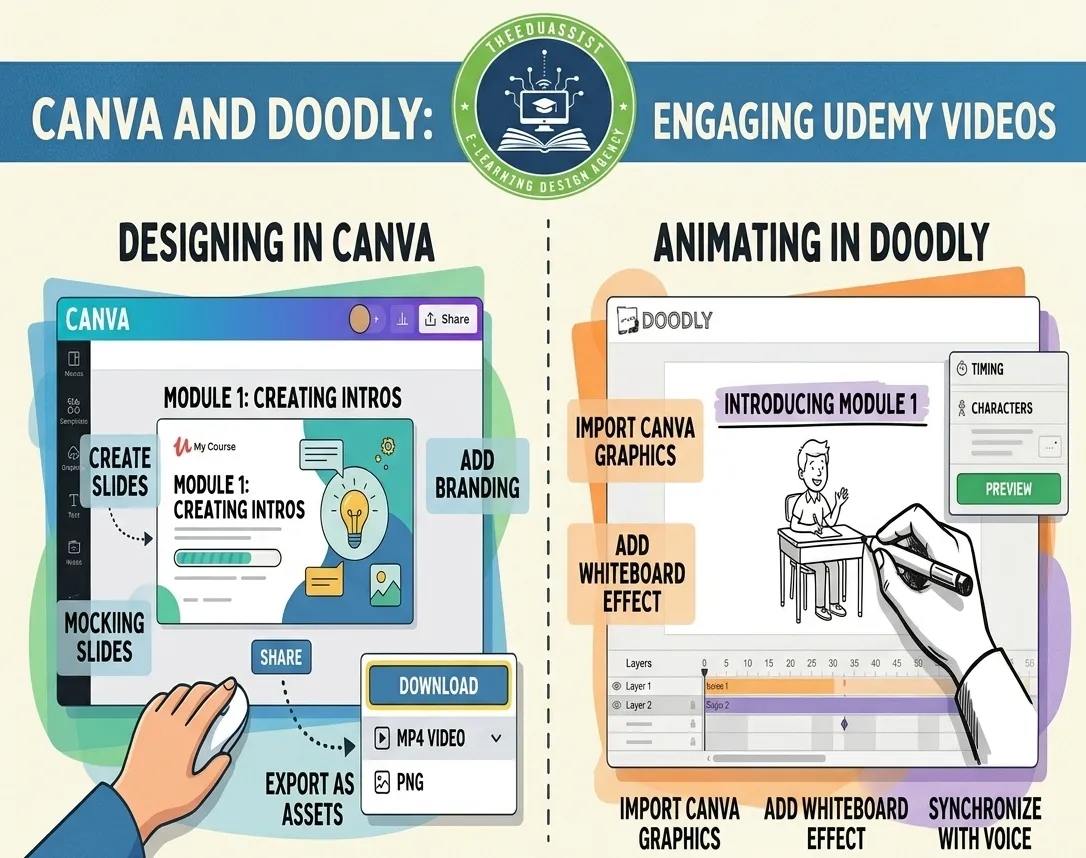
Artificial intelligence and automation tools are transforming how small businesses operate. Platforms like Zapier, n8n, and Sintra.AI now allow entrepreneurs to automate workflows without writing code.
Because of this shift, many EdTech startups and course creators in New York—particularly in cities like New York City, Buffalo, and Rochester—are developing online courses that teach AI automation skills to non-technical audiences.
However, building an effective course in this space is more complex than simply recording tutorials.
Most founders already have:
- Raw module ideas
- Outlines for lessons
- Recorded walkthroughs
- Knowledge about automation tools
What they often lack is a structured instructional design framework that transforms those ideas into engaging educational content.
Successful AI automation courses require:
- Clear video scripts
- Scenario-based learning
- Structured lesson assets
- Worksheets and templates
- Interactive exercises
In this guide, we’ll explore how EdTech startups can design and launch a high-impact AI automation course using proven eLearning curriculum strategies.
Why AI Automation Courses Need Strong Instructional Design:
Automation tools can be powerful—but also overwhelming for beginners.
If courses jump directly into complex workflows, learners may struggle to follow along.
That’s why the best AI + eLearning programs follow structured learning frameworks based on adult learning (andragogy).
Effective courses typically include:
- Step-by-step tutorials
- Real-world scenarios
- Guided exercises
- Visual walkthroughs
- Practice automation templates
The goal is not just teaching tools—but helping learners apply automation in real business situations.
Step 1: Define the Learning Outcome for the Course
Every successful course begins with a clear learner transformation.
Instead of saying:
“This course teaches AI automation tools.”
Define the outcome as:
“By the end of this course, learners will build automated workflows that save time in marketing, operations, and customer support.”
This outcome-driven approach ensures that the curriculum focuses on practical implementation rather than theory.
Step 2: Build a Scenario-Based Curriculum Structure
Automation is best learned through real-world use cases.
Instead of organizing the course by tool features, structure modules around business scenarios.
Example Curriculum for a 6-Lesson AI Automation Course
| Lesson | Scenario |
|---|---|
| 1 | Introduction to AI automation workflows |
| 2 | Automating lead capture and CRM updates |
| 3 | Marketing automation using Zapier |
| 4 | Workflow automation with n8n |
| 5 | AI assistants for business productivity |
| 6 | Building a complete automation system |
This scenario-based approach helps learners see the practical value of automation tools.
Step 3: Convert Module Outlines Into Video Scripts
Many founders start with rough outlines or notes.
The next step is converting those ideas into clear video scripts or talking-point guides.
A typical lesson script includes:
- Lesson introduction
- The business problem
- Step-by-step demonstration
- Key insights and best practices
- Summary and next steps
Scripts should remain clear, concise, and beginner-friendly, especially when teaching non-technical learners.
Step 4: Develop Companion Learning Assets
Strong eLearning courses combine video lessons with supporting learning materials.
Examples include:
- Slide presentations for visual explanations
- Worksheets and implementation guides
- Workflow templates
- Checklists for automation setup
- Lesson summaries
Many course creators organize these resources in tools like Google Docs, Notion, or Canva, making it easier for learners to follow the training.
These assets transform a course from passive watching into active learning.
Step 5: Use Scenario Videos for Applied Learning
Scenario-based videos are particularly effective in AI and automation education.
Instead of showing abstract features, these videos demonstrate:
- Real business workflows
- Step-by-step automation builds
- Problem-solution walkthroughs
Example scenario video idea:
“Automating customer onboarding for a service business using Zapier.”
Learners watch the workflow being built and then replicate it themselves.
This approach significantly improves knowledge retention and skill transfer.
Step 6: Integrate Interactive Learning Elements
Courses that rely entirely on tutorials often struggle with engagement.
Adding interactive elements helps learners apply what they learn.
Examples include:
- Automation challenges
- Mini quizzes after each lesson
- Guided exercises
- Implementation assignments
Tools such as Articulate Storyline, Articulate Rise 360, and Canva can help create interactive course materials that reinforce learning.
Step 7: Host the Course on an LMS Platform
After developing the curriculum and learning assets, the next step is selecting a Learning Management System (LMS).
Popular LMS platforms for EdTech startups include:
- Kajabi – ideal for course businesses with built-in marketing tools
- Thinkific – strong course creation features
- LearnDash – customizable LMS built on WordPress
These platforms allow creators to:
- Organize course modules
- Track student progress
- Deliver downloadable resources
- Issue certificates
- Create community learning environments
Choosing the right LMS ensures that the course provides a smooth and professional learning experience.
Quick Comparison Table: LMS Platforms for AI Automation Courses
| Platform | Best For | Key Strength |
|---|---|---|
| Kajabi | Course businesses | All-in-one learning and marketing |
| Thinkific | Professional course creators | Flexible course design |
| LearnDash | Custom learning platforms | WordPress integration |
Building an AI Automation Course (Cost Reality Check)
Creating a professional automation course involves several components.
Typical investment ranges include:
| Category | Estimated Cost |
|---|---|
| Instructional design consulting | $2,000 – $6,000 |
| Video production and editing | $1,000 – $4,000 |
| Slide design and course assets | $500 – $2,000 |
| LMS platform subscription | $39 – $199 per month |
For EdTech startups, investing in structured course development significantly improves course quality and learner outcomes.
How TheEduAssist Helps Build AI Automation Courses:
Many founders already have strong subject expertise but need support transforming their ideas into structured educational experiences.
This is where TheEduAssist helps EdTech startups and course creators.
TheEduAssist provides services such as:
- Instructional design and curriculum development
- Custom eLearning course creation
- Educational video scripting and multimedia production
- Interactive module development
- LMS implementation and course setup
- Microlearning course design
These services help transform raw ideas and module outlines into professional AI automation training programs that learners can easily follow and implement.
Final Thoughts:
AI automation education is becoming one of the fastest-growing opportunities in digital learning.
For EdTech startups in New York City, Buffalo, and Rochester, building a structured automation course can help entrepreneurs and small business owners adopt powerful tools like Zapier and n8n.
But success depends on more than just recording tutorials.
By combining instructional design, scenario-based learning, interactive assets, and scalable LMS platforms, startups can create AI automation courses that are engaging, practical, and highly valuable for modern learners.
References:
- https://www.statista.com/topics/3115/e-learning-and-digital-education/
- https://worldmetrics.org/online-learning-growth-statistics/
- https://www.coursebox.ai/blog/online-learning-statistics?utm_source=chatgpt.com
FAQs
What should an AI automation online course include?
A strong course should include scenario-based lessons, video demonstrations, automation templates, worksheets, and guided exercises that help learners implement workflows.
What LMS platforms are best for AI automation courses?
Popular platforms include Kajabi, Thinkific, and LearnDash, which allow creators to organize modules, track progress, and deliver interactive learning experiences.
Why is scenario-based learning important for automation training?
Scenario-based learning shows learners real business use cases, helping them understand how automation tools can solve practical problems.
How long does it take to build an AI automation course?
Most courses take 4–10 weeks to develop, depending on the number of lessons, videos, and interactive materials.
How can TheEduAssist help build an AI automation course?
TheEduAssist helps EdTech startups design course curricula, develop video scripts, create learning assets, and implement LMS platforms to launch professional online courses.
Authored By: Sofia Arif